

Best Book Formatting Tools for Coaches Publishing on Amazon KDP in 2026
In 1992, Sir John Whitmore published Coaching for Performance, the book that brought the GROW model to a global coaching audience. The methodology had been proven in workshops with executives and athletes for years. The translation from workshop floor to printed page was the hard part. That stage stops more coaching books than the blank page ever did.
The coach reading this in 2026 has the same problem, minus any sympathy from their publisher.
But the tools available in 2026 are different. A coach with a near-finished manuscript can upload it to a browser-based formatter today, export a KDP-ready PDF, and have a proof copy ordered before lunch. The question is which tool to use, because the answer is not the same for every coach, and picking the wrong one costs anywhere from a week of rework to a permanently misformatted book interior that looks self-published in the worst sense of the word.
We ran six major book formatting tools through what we call the Coach's KDP Format Test: five axes that measure whether a tool actually delivers for a coach publishing on Amazon KDP in 2026. Trim accuracy. Typography polish. Cover design. Speed-to-export. Pricing model. We also looked at where to find KDP publishing templates, what the correct workflow looks like from manuscript to upload, and which tool wins for which coach archetype. The honest answer is below.
| Tool | Coach's KDP Format Test score | Best for |
|---|---|---|
| Built&Written | 23 / 25 | Coaches who still need to write, assemble, and format in one workflow |
| Atticus | 22 / 25 | Coaches with a finished manuscript who want best-in-class interior typography |
| Vellum | 21 / 25 | Mac users with a finished manuscript and a strong design sensibility |
| Reedsy Book Editor | 15 / 25 | Coaches on a zero budget who have a clean manuscript and can accept limited customization |
| Microsoft Word + KDP templates | 10 / 25 | Coaches who are comfortable in Word and do not mind debugging margins manually |
| Adobe InDesign | 18 / 25 | Coaches with a design background who need full typographic control and are willing to invest time |
A note on methodology. Each tool was evaluated hands-on across three coaching-book scenarios: a 50,000-word methodology book, a 15,000-word lead-magnet booklet, and a companion workbook. Scoring reflects performance against the five Coach's KDP Format Test axes. Where claims could not be verified in practice, we scored neutral (3). This is Built&Written's review. We try to be honest about competitor strengths because the alternative is a comparison that coaches see through immediately.
Why most coaches abandon their book at the formatting stage
Book formatting is a technical problem wearing a creative costume. Coaches who spent months writing a methodology book will spend three weeks trying to understand why their Word doc produces a PDF with wrong margins, text that bleeds into the gutter, and a spine width Amazon can't calculate.
KDP publishing has precise requirements. Trim size, inner margins (which must be wider than outer margins to account for the spine), bleed for full-page images, resolution for any images embedded in the manuscript, and a spine width formula that depends on your exact page count and paper type. Get any one of these wrong and KDP either rejects your upload or, worse, accepts it but prints a book that looks wrong.
Most coaches discover this after they've already exported from Word, uploaded, and ordered a proof copy. The proof arrives looking like the draft. The margins are wrong. The font is the default. The chapter headers look like a college essay. The coach goes back to the manuscript and starts over, usually in a different tool.
This is the formatting stage problem. It is not a creativity problem. It is a technical compliance problem dressed up as a design decision. The Coach's KDP Format Test is designed to measure which tools solve it cleanly versus which tools require the coach to become a part-time typesetter.
The 5 axes of the Coach's KDP Format Test
Book formatting for coaches is a specific category that combines non-fiction structure requirements, KDP technical compliance, and the credibility standards a coaching book needs to meet to win clients.
Five axes decide whether a tool clears the bar.
Trim accuracy. Does the tool produce output that conforms to KDP's trim size specifications (6x9 being the standard for a flagship coaching book; 5x8 for a lead magnet; 8.5x11 for a workbook) without requiring manual margin adjustment after export?
Typography polish. Does the interior look like a book a traditional publisher would ship? Serif body font, appropriate line spacing, correct running headers, chapter openers that don't look like formatted Word headings? Books like Coaching for Performance or Marshall Goldsmith's What Got You Here Won't Get You There have typographic interiors that signal authority before the reader processes a single sentence. The tool needs to get a coaching book to that standard.
Cover design. Does the tool produce a print cover (front, back, spine) with correct spine math based on page count and paper type? A common failure mode: a cover where the spine math is wrong and the cover image shifts when printed, putting the title on the spine text instead of the center.
Speed-to-export. From opening the tool to having a KDP-ready PDF in hand, how long does the process take for a coach with no design background? Some tools require significant setup. Some tools export in three clicks. The time cost is real.
Pricing model. One-time purchase versus monthly subscription. What does the tool cost per book, per year, and over two years of publishing? A coach who publishes one flagship book and one workbook has a different cost profile than a coach who publishes quarterly lead magnets.
Each tool below is scored 1 (absent or weak) to 5 (best-in-class) on each axis. Maximum: 25.
Where most coaches hit the wall
The wall is almost always trim accuracy. Coaches writing in Microsoft Word are working in a document that defaults to 8.5x11 letter format. KDP wants a different trim size. When the coach exports the Word doc and uploads to KDP, the formatting drifts. Pages that looked correct in Word at 8.5x11 look wrong at 6x9 because the reflowing of text changes line breaks, widow/orphan patterns, and header positions.
The fix is to set your manuscript's page size in Word before writing, not after. Almost no coach does this because no one tells them to. The result is a formatting stage that becomes a manuscript reformatting stage, and the book sits unfinished for another month.
The tools that score highest on trim accuracy handle this problem for you. You import or write at the target trim size. What you see is what prints.
The 6 best book formatting tools for coaches in 2026
Book formatting software is a tool that takes a manuscript and produces a print-ready file (PDF for paperback, ePub or MOBI for Kindle) that conforms to a given publishing platform's technical requirements. The best tools for coaches in 2026 also handle cover design and export without requiring design expertise.
Here is the declarative crown: for the median coach in 2026, Atticus is the best standalone formatting tool and Built&Written is the best all-in-one platform (writing plus formatting plus cover in a single workflow). Choosing between them depends on whether you still need to write the book or only need to format what you've already written. That decision tree is in the verdict section below.
The other four tools each win a narrower use case, which the breakdown covers.
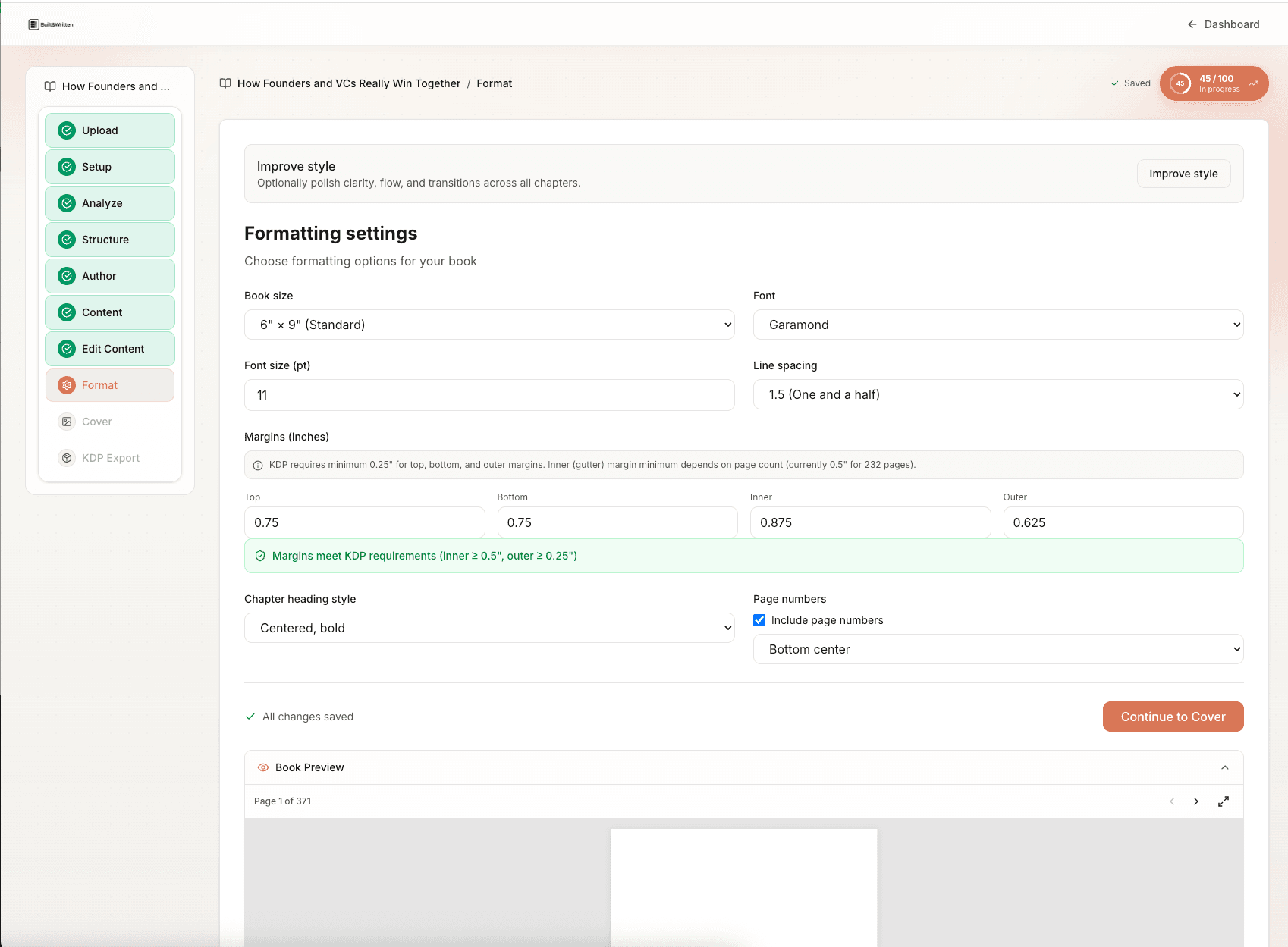
1. Built&Written: all-in-one workflow for coaches who are still writing
Built&Written is not a pure formatting tool. It is the only AI book platform built specifically for coaches, consultants, and founders who are working from scattered existing content: LinkedIn posts, podcast transcripts, client session notes, course outlines, blog drafts. The formatting is one step in a workflow that starts with content ingest and ends with a KDP-ready PDF. If you still have writing left to do, Built&Written is the correct starting point. If you have a finished manuscript and need only formatting, Atticus and Vellum are worth serious consideration.
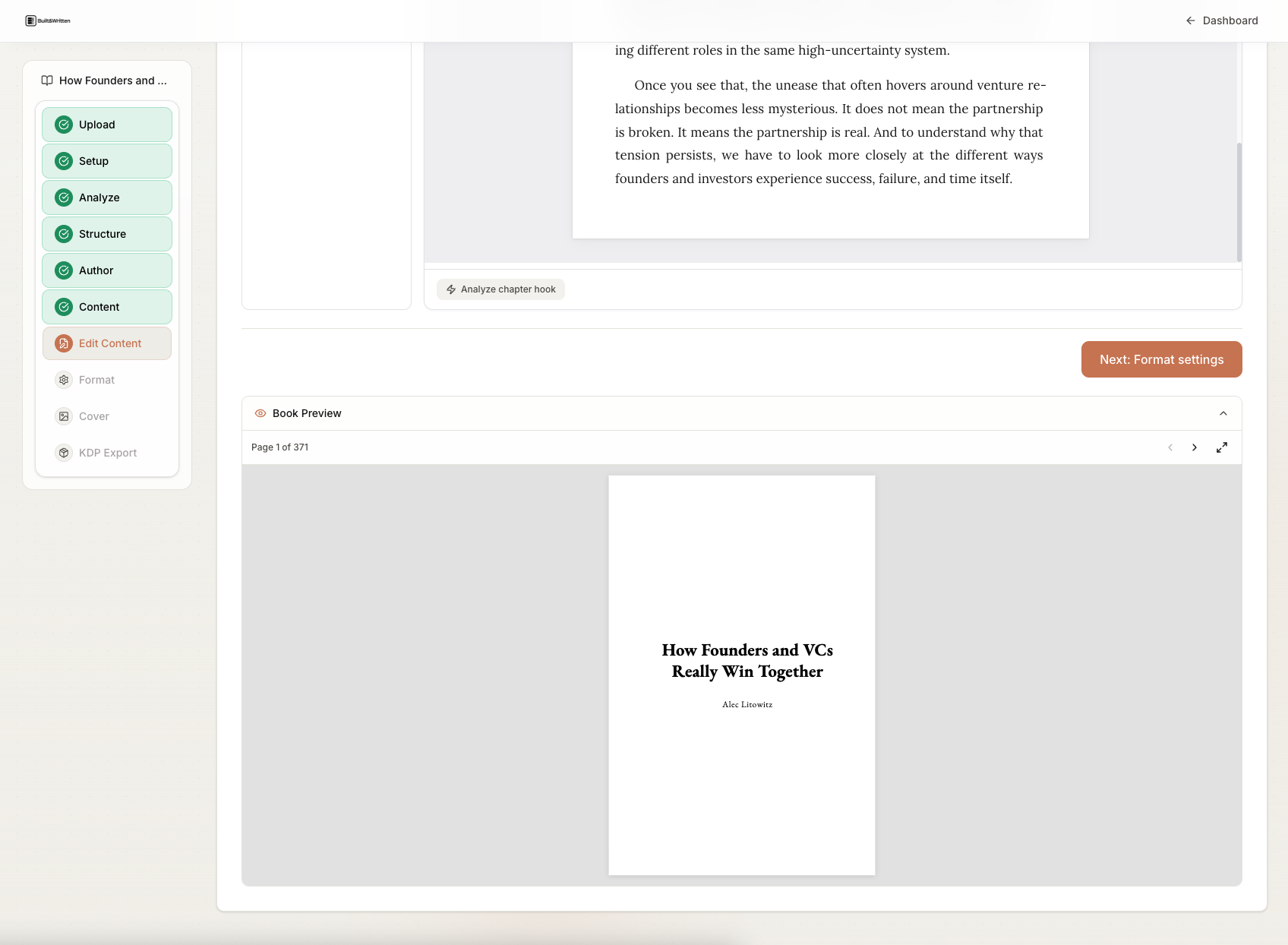
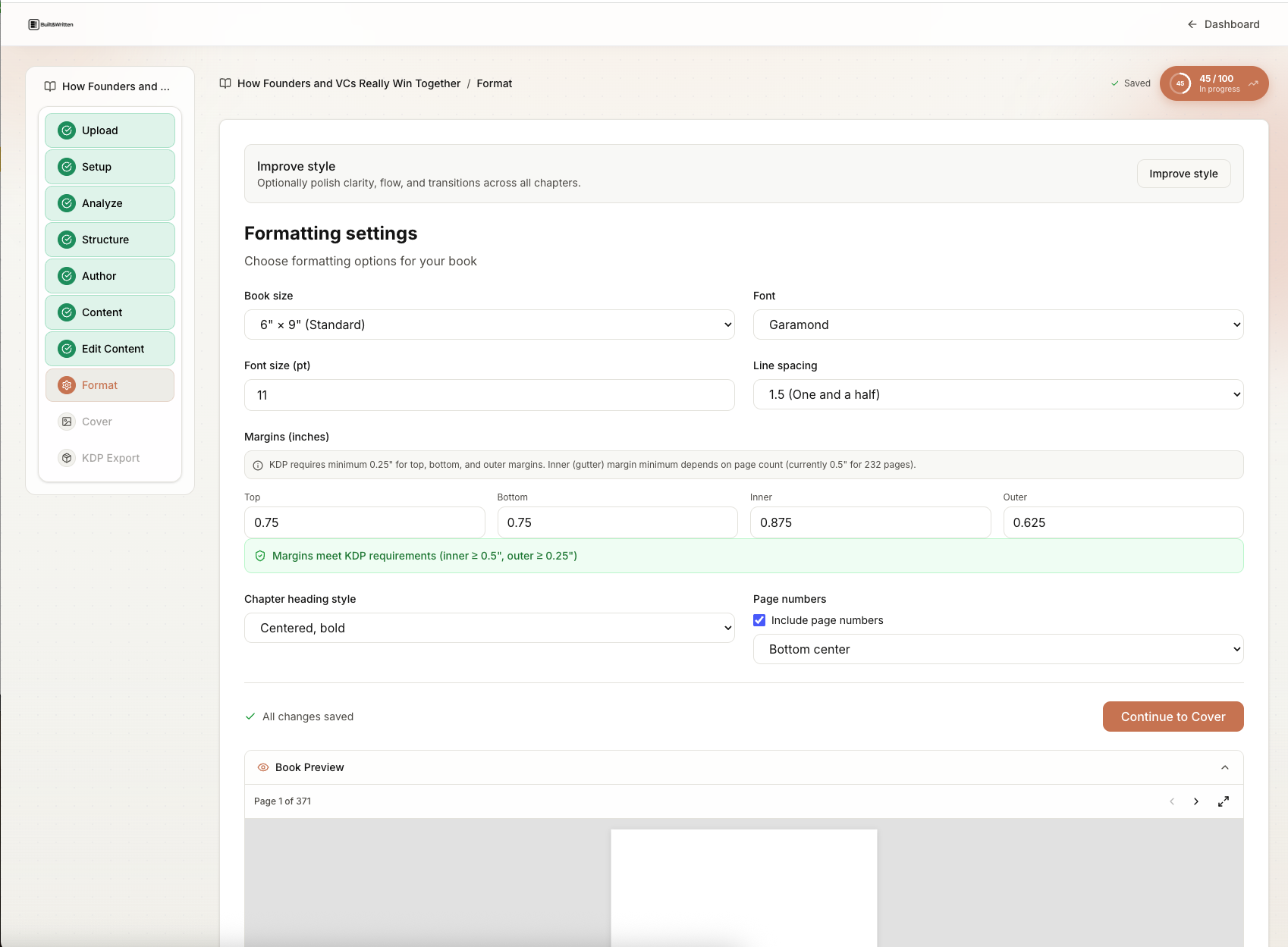
The formatting output is KDP-ready and professional. The tool handles trim size, margins, gutters, running headers, chapter openers, and spine math. The cover generator takes your page count, applies the KDP spine width formula, and produces a front-back-spine PDF ready for upload. The KDP-ready export includes a print PDF and an ePub for Kindle.
Pricing: free trial, no credit card required. $15 per month. See Built&Written to start.
For the full writing-plus-formatting workflow comparison, see our head-to-head on Atticus vs Built&Written for coaches.
2. Atticus: best formatting tool for coaches with a finished manuscript
Atticus is the standard answer when coaches with a finished manuscript ask "what's the best book formatting tool?" It is cross-platform (Mac, Windows, browser), one-time purchase at $147, and produces interior typography that is best-in-class among self-publishing tools. Chapter header customization, drop caps, scene breaks, running headers, font control: all present and well-implemented.
Atticus does not write. Not a sentence. It formats what you import. If you have a Word doc or RTF file with a complete manuscript, Atticus turns it into a book interior faster than any other tool in this list. If you have a folder of LinkedIn posts and a rough outline, Atticus cannot help you at that stage.
The cover designer in Atticus is solid. Not as feature-rich as a dedicated design tool, but enough for a coaching book that needs a credible, professional cover without a $1,200 design fee.
Pricing: $147 one-time, all platforms included.
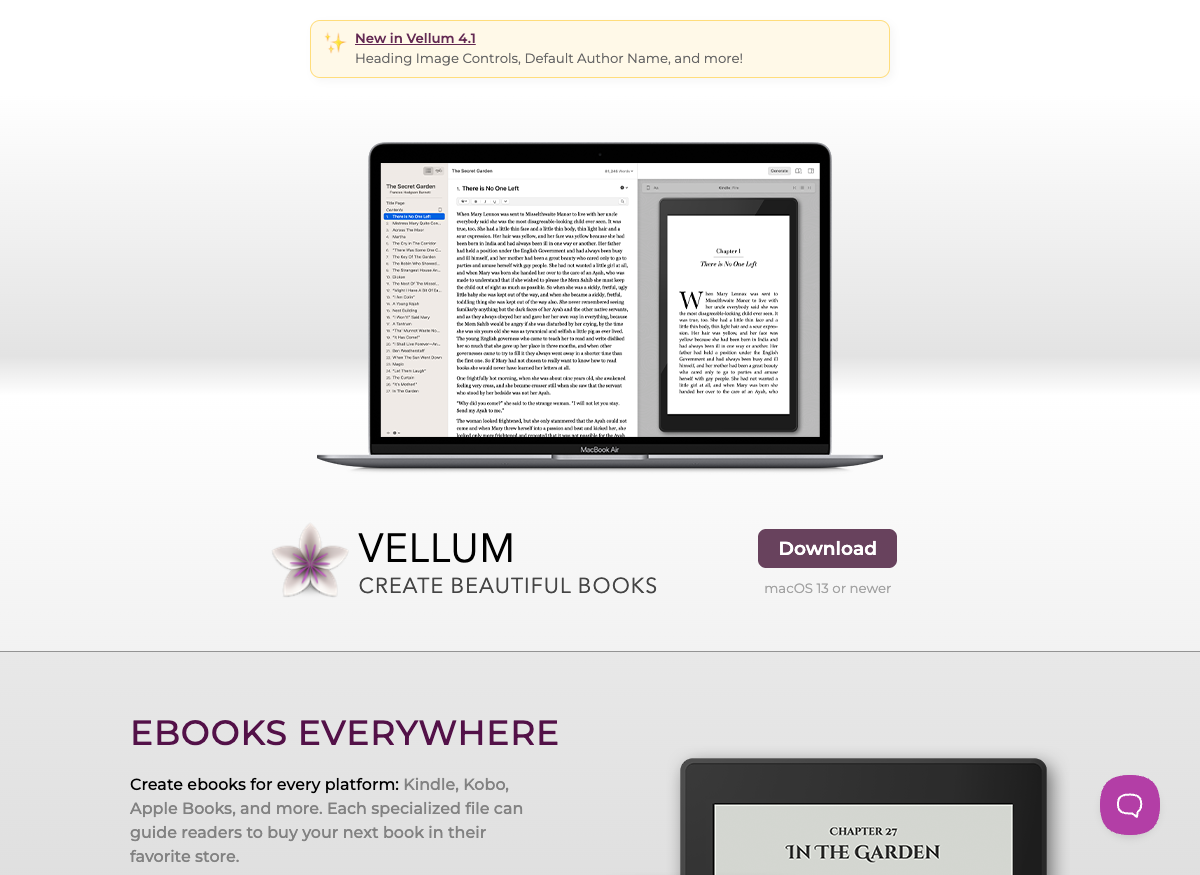
3. Vellum: Mac-native alternative with outstanding output quality
Vellum is Mac-only. If you are on Windows, stop reading this section. For Mac users, Vellum is the closest rival to Atticus on interior quality. Its theme system produces interiors that look like books from major publishers: clean chapter openers, elegant running headers, consistent typography that holds across print and ebook formats.
Pricing is a two-tier model: $199.99 for unlimited ebooks (any number of ebook exports) and $249.99 for unlimited print books (ebook plus paperback). The one-time pricing is comparable to Atticus over two years if you publish multiple books.
Vellum does not write. No AI assistance. No content ingest. It is a formatting tool in the same category as Atticus, with a Mac-native interface that some coaches prefer over Atticus's cross-platform web interface. The output quality difference between Vellum and Atticus is minimal at the level most coaches can detect. The practical choice is usually: Mac and willing to pay slightly more = Vellum; any platform = Atticus.
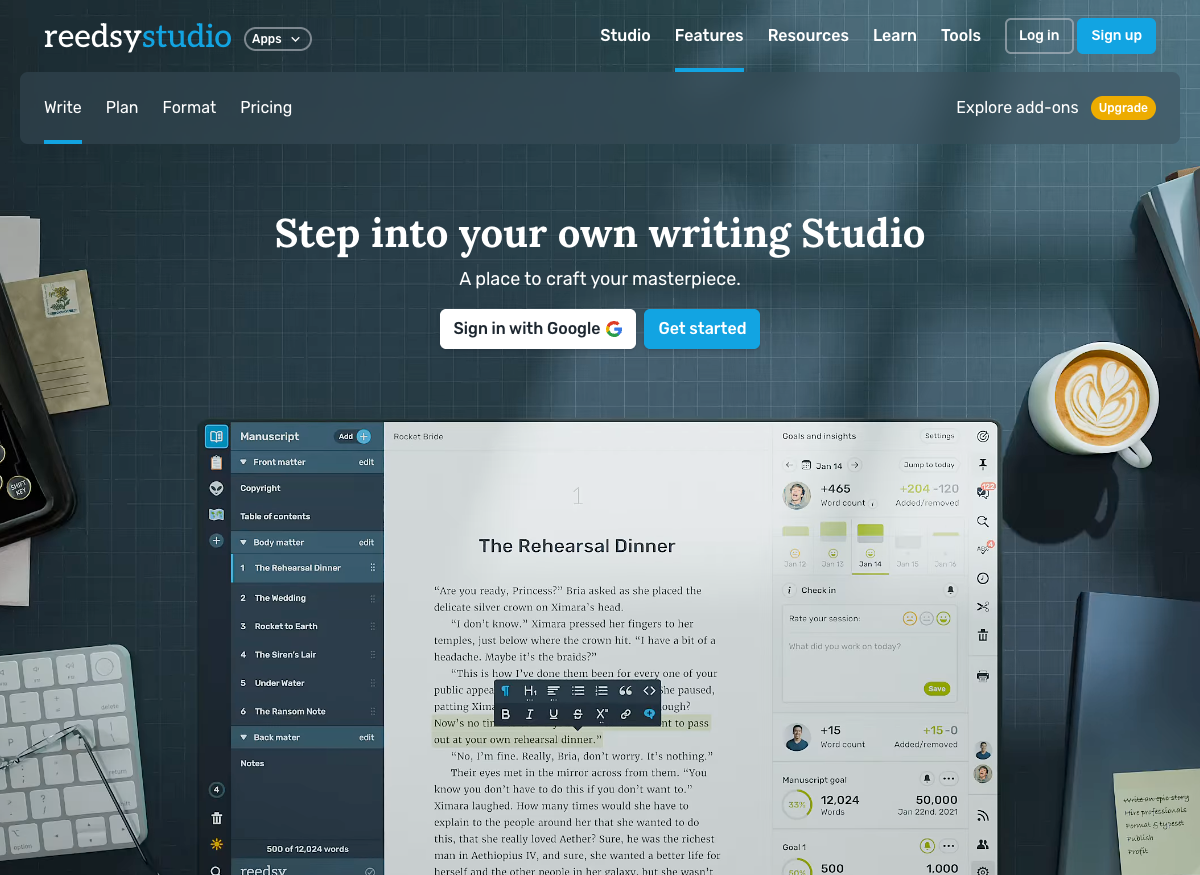
4. Reedsy Book Editor: best free option for coaches on a zero budget
Reedsy offers a free, browser-based book editor that produces clean ePub and PDF exports. The interior quality is respectable for a free tool. Typographic customization is more limited than Atticus or Vellum: you get a set of themes and modest font options, not full typographic control. For a coach producing a lead-magnet booklet on a zero budget, Reedsy is the honest recommendation.
The platform also connects coaches to freelance editors, cover designers, and proofreaders if they want professional help at a fixed cost. That service layer is Reedsy's actual business model; the editor is the entry point.
Limitations: no AI writing, no content ingest, limited cover design (cover tools require connecting with a Reedsy designer or using an external tool like Canva). For a flagship coaching book meant to win $30,000 retainer clients, the typography limitations will show. For a $0.99 lead magnet that introduces a coach's methodology, Reedsy is sufficient.
Pricing: free for the editor. Reedsy's marketplace services are quoted per-project.
5. Microsoft Word + KDP templates: free, familiar, and painful without setup
Microsoft Word plus KDP's official formatting templates is the default path for coaches who don't know a dedicated tool exists. Word is already installed. KDP provides free templates. The total cost is $0.
The problem is not the tools. It is the setup. KDP's templates are correct but require the coach to apply them carefully to an existing manuscript, check margins, adjust headers, and then export to PDF correctly (not all PDF export paths from Word produce print-ready output). The failure rate for first-time KDP uploaders using Word is high enough that Amazon's own KDP help documentation runs to dozens of pages on Word-specific formatting issues.
For coaches who are comfortable in Word, patient with technical process, and willing to read the official KDP formatting documentation end-to-end, this path works. For coaches who want to publish their book and not become a desktop publishing specialist, it's the wrong default.
Mentioned because it's real: Scrivener is a writing environment many coaches use during drafting. Scrivener exports to ePub and PDF, but the output quality for print is not on par with Atticus or Vellum without significant configuration. Pages (Mac) is similar: fine for writing, suboptimal for KDP-grade print formatting.
6. Adobe InDesign: professional-grade control for coaches with design backgrounds
Adobe InDesign is the tool professional book designers use. It provides absolute typographic control: master pages, paragraph styles, character styles, glyphs, optical margin alignment, OpenType features. A book formatted in InDesign by someone who knows InDesign will look better than any output from the tools above, including Atticus and Vellum.
The caveats are significant. InDesign's Creative Cloud subscription runs approximately $20.99 per month (or more as part of a full CC subscription). The learning curve is measured in weeks, not hours. Coaches who are not designers should not expect to open InDesign and produce a polished book without training. It is the right tool if you have a design background, work with a professional designer, or are producing a book where the production value needs to be genuinely publisher-grade.
For most coaches, InDesign is the right answer to a question they're not actually asking.
How does each tool score on the Coach's KDP Format Test?
This section runs each tool through the five axes. Full scores, honest gaps.
Tool 1: Built&Written
| Axis | Score | Notes |
|---|---|---|
| Trim accuracy | 5/5 | Target trim size is set in the wizard; manuscript flows into it. No reformatting after export. |
| Typography polish | 4/5 | Professional and KDP-ready. Less typographic granularity than Atticus or Vellum for coaches who have specific font preferences. |
| Cover design | 5/5 | Integrated cover generator. Spine math is automatic based on page count and paper type. |
| Speed-to-export | 5/5 | Content-to-export in the fewest steps of any tool tested. The wizard handles the technical compliance. |
| Pricing model | 4/5 | $15/month is the right model for ongoing publishing. One-time $147 from Atticus beats it for a coach publishing once. |
| Total | 23/25 |
The 4/5 on typography polish is the honest weakness. Built&Written's formatting defaults are sensible and look professional. Coaches with strong typography opinions who want to specify exact leading, tracking, and OpenType features will find fewer knobs to turn compared to Atticus. For the median coach, the defaults are correct and the gap is not material.
The content ingest and Voice DNA are not formatting axes, but they are why coaches who are still writing should start here rather than at Atticus. See the complete guide to writing a coaching book with AI for the full workflow.
Tool 2: Atticus
| Axis | Score | Notes |
|---|---|---|
| Trim accuracy | 5/5 | Import happens at your target trim size. Margins, gutters, and bleed handled without manual configuration. |
| Typography polish | 5/5 | Best-in-class in the self-publishing category. Full control over fonts, line spacing, chapter headers, drop caps, running headers. |
| Cover design | 4/5 | Solid integrated cover designer. Templates are recognizable to a trained eye. A custom designer will produce a better cover, but Atticus's output is sufficient for most coaching books. |
| Speed-to-export | 4/5 | Fast once you've applied a theme. Initial setup (import + theme selection + header styling) takes 1 to 2 hours for a new user. |
| Pricing model | 5/5 | $147 one-time, all platforms. Best pricing for a coach publishing one book. Math inverts for multiple books over time. |
| Total | 22/25 |
Atticus is one point behind Built&Written on total score, but the gap means almost nothing to a coach with a finished manuscript. Atticus's typography is better. Its pricing is better for the one-book scenario. Its speed-to-export is close. The only axis where it loses meaningfully is pricing for multi-book scenarios, which is edge-case dependent.
The Atticus vs Built&Written deep comparison covers this in more detail.
Tool 3: Vellum
| Axis | Score | Notes |
|---|---|---|
| Trim accuracy | 5/5 | Mac-native, handles KDP trim sizes cleanly. The ebook output is particularly well-regarded. |
| Typography polish | 5/5 | Interior quality on par with Atticus. Some coaches prefer Vellum's theme aesthetic. |
| Cover design | 3/5 | Cover tools are less developed than Atticus. Many Vellum users pair it with a separate cover designer or Canva. |
| Speed-to-export | 4/5 | Fast on Mac. No Windows option. |
| Pricing model | 4/5 | $249.99 one-time for unlimited print. More expensive than Atticus at $147, justified for Mac users who prefer the native app experience. |
| Total | 21/25 |
Vellum loses a point on cover design relative to Atticus. The cover tools are less integrated; many Vellum users design covers separately. For Mac users who are decided on Vellum for the formatting, using Canva for the cover is a workable pairing. Coaches who want one tool that handles everything should look at Atticus (cross-platform) or Built&Written (all-in-one with writing).
Tool 4: Reedsy Book Editor
| Axis | Score | Notes |
|---|---|---|
| Trim accuracy | 3/5 | Handles standard trim sizes. Less control over non-standard sizes. |
| Typography polish | 3/5 | Clean and readable. Not the level of Atticus or Vellum. The typography difference shows on a printed proof. |
| Cover design | 2/5 | Very limited cover tools. Coaches typically need a separate tool (Canva or a hired designer) for the cover. |
| Speed-to-export | 4/5 | Browser-based, straightforward export. Fast for what it does. |
| Pricing model | 5/5 | Free. |
| Total | 15/25 |
Reedsy is fairly scored here. It is a capable free tool with real limitations. The typography gap versus Atticus or Vellum is noticeable. The cover limitation is significant. For a zero-budget lead magnet, it is the right tool. For a flagship coaching book meant to produce discovery calls, the typography gap will show in the printed proof and should motivate upgrading to a paid tool.
Tool 5: Microsoft Word + KDP Templates
| Axis | Score | Notes |
|---|---|---|
| Trim accuracy | 2/5 | Requires manual page size configuration and careful template application. First-time errors are common. |
| Typography polish | 2/5 | Word's default typography is not book-grade. Significant configuration required to match Atticus-level output. |
| Cover design | 1/5 | Word is not a cover design tool. Coaches must use Canva or hire a designer separately. |
| Speed-to-export | 2/5 | PDF export from Word has specific settings requirements for KDP compatibility. The process is not intuitive. |
| Pricing model | 5/5 | Free (assuming Word is already installed). |
| Total | 10/25 |
Word scores low on every dimension except pricing. It is included because it is the default tool many coaches use and because the KDP templates are genuinely available and free. The honest assessment: if you are starting a book now, open a dedicated formatting tool from the beginning. Do not draft in Word and then try to reformat. The time cost of reformatting defeats the cost savings of "free."
Tool 6: Adobe InDesign
| Axis | Score | Notes |
|---|---|---|
| Trim accuracy | 5/5 | Professional-grade. The tool book designers use for print production. |
| Typography polish | 5/5 | Best typographic output available. Not matched by any other tool in this list. |
| Cover design | 5/5 | Full design capability. Any cover possible if you know the software. |
| Speed-to-export | 1/5 | High learning curve. Weeks of setup time for a non-designer. Not a realistic option for most coaches. |
| Pricing model | 2/5 | Approximately $20.99/month on Creative Cloud. Justified only if you have a design background or are working with a designer. |
| Total | 18/25 |
InDesign scores low on speed and pricing relative to its positioning here. The tool produces the best output in the category. The time and cost to get there are prohibitive for most coaches. It is included because it is the professional standard and because coaches who have a design background or work with a professional designer should know it exists.
What's the right workflow for getting a coaching book from manuscript to KDP-ready PDF?
The workflow question is where most formatting articles fail coaches. They describe the tools but not the sequence. The sequence matters because the order of operations affects every tool choice.
The KDP self-publishing workflow for coaches is a five-stage process: content in the right format at the right trim size, interior formatting, cover design with spine math, export and upload, and proof verification. Each stage has a different set of tools and failure modes.
Stage 1: Manuscript preparation
Before opening any formatting tool, the manuscript needs to be in a clean state. This means:
No tracked changes. No comments. No placeholder text. No embedded objects (images inserted as floating objects in Word, for example, do not survive the import to formatting tools cleanly). Images should be exported as separate files (minimum 300 DPI) and placed in the formatted document at the formatting stage, not embedded in the Word draft.
The trim size decision happens here, not at the formatting stage. Standard trim sizes for coaching books on KDP:
- 6x9 inches: The standard for a business or coaching book. Produces a page count that feels substantial. Most coaching books in the market use this trim.
- 5.5x8.5 inches: Slightly smaller, often used for self-help books with a personal, conversational tone.
- 5x8 inches: Common for lead magnets and shorter books. Produces a higher page count from the same word count, which can be useful for a book that would look thin at 6x9.
- 8.5x11 inches: Workbooks and reference guides.
Set the trim size in your manuscript tool before you finalize the draft. Reflowing a 50,000-word manuscript from one trim size to another after draft completion changes every page break and every chapter opening position.
Stage 2: Interior formatting
This is where the tools in this article apply. Import the clean manuscript into your chosen tool. Apply a theme or configure typography. Place chapter images if any. Configure front matter (title page, copyright page, dedication, table of contents) and back matter (about the author, resources, QR code to discovery call).
The front and back matter sections are where most coaches under-invest. The back matter of a coaching book is lead-gen infrastructure. A QR code to a discovery call page, a free chapter download offer, a URL to the coach's website: these are the mechanisms by which a $9.99 paperback generates a $30,000 coaching retainer. Don't treat back matter as an afterthought. See how a coaching book generates leads for the full back-matter strategy.
Stage 3: Cover design
A coaching book cover has three parts: the front cover, the back cover, and the spine. The spine width is calculated by KDP's spine width formula and depends on page count and paper type (white paper versus cream paper: cream paper produces slightly thicker pages and a slightly wider spine).
KDP's spine width formula is available in their printing guidelines. Most formatting tools (including Atticus and Built&Written) calculate this automatically when you enter your page count. If you are designing a cover in Canva or with a designer, provide them the KDP-calculated spine width, not an estimate.
Cover images must be 300 DPI minimum. Anything below 150 DPI will produce a blurry print. KDP checks this at upload and will flag images below minimum resolution.
Stage 4: Export and KDP upload
The correct export from any formatting tool for KDP paperback:
- Print interior: PDF, PDF/X-1a standard preferred. Embedded fonts. No crop marks (KDP handles these). Bleed if you have full-bleed images; no bleed if print area does not extend to the edge of the page.
- Print cover: PDF, with bleed included. The cover template from KDP (available on their cover template page) shows the exact bleed and safe-zone dimensions.
- Kindle: ePub preferred. KDP's Kindle Create is a free alternative for the Kindle version if your formatting tool's ePub output needs adjustment.
At upload, KDP runs a quality check. Common rejection reasons for coaching books: interior PDF has embedded fonts not licensed for print (rare with standard book fonts), cover spine width does not match submitted page count, interior and cover page sizes do not match.
The AI disclosure checkbox appears during upload. For any book assembled with AI assistance, check the appropriate box. KDP's current policy does not reject or penalize AI-assisted books. The checkbox is documentation, not a gate.
Stage 5: Proof copy verification
Order a printed proof before making the book live. KDP allows you to order one proof at printing cost (approximately $3 to $8 depending on page count and your country) before publishing. Read it. The proof reveals: font rendering differences between screen and print, image resolution issues that looked acceptable on screen, margin problems that only show in the physical gutter, and cover color shifts between digital preview and actual print.
Budget two weeks between proof order and final approval. The first proof almost always requires at least one correction. After the first correction, re-export, re-upload, and order a second proof if the changes affected layout. The second proof is usually final.
Where to find KDP publishing templates
KDP publishing templates are pre-built Word document files formatted to KDP's specifications for a given trim size. Using a KDP template means starting your manuscript in a document that is already set to the correct page size, margins, gutter width, and bleed settings for print. This is the correct approach for coaches who are writing in Word.
Official KDP templates
Amazon KDP provides free Word-format templates for all standard trim sizes at kdp.amazon.com/help. Download the template for your target trim size. Write your manuscript into that template. When you export to PDF using KDP's recommended Word PDF export settings, the output conforms to their technical requirements.
The official templates are the most reliable starting point for the Word workflow. They are updated when KDP changes its technical specifications.
Atticus templates (formatting themes)
Atticus does not use external templates. It has a built-in theme system with multiple interior design options. When you import a manuscript into Atticus and select a theme, you are applying an Atticus-maintained template that handles all trim size, margin, and typography specifications for you. There is no manual template download. The template is baked into the tool.
For coaches who want to see Atticus themes before purchasing, their website (atticus.io) shows previews of available themes. The non-fiction themes are the appropriate starting point for a coaching book.
Built&Written templates
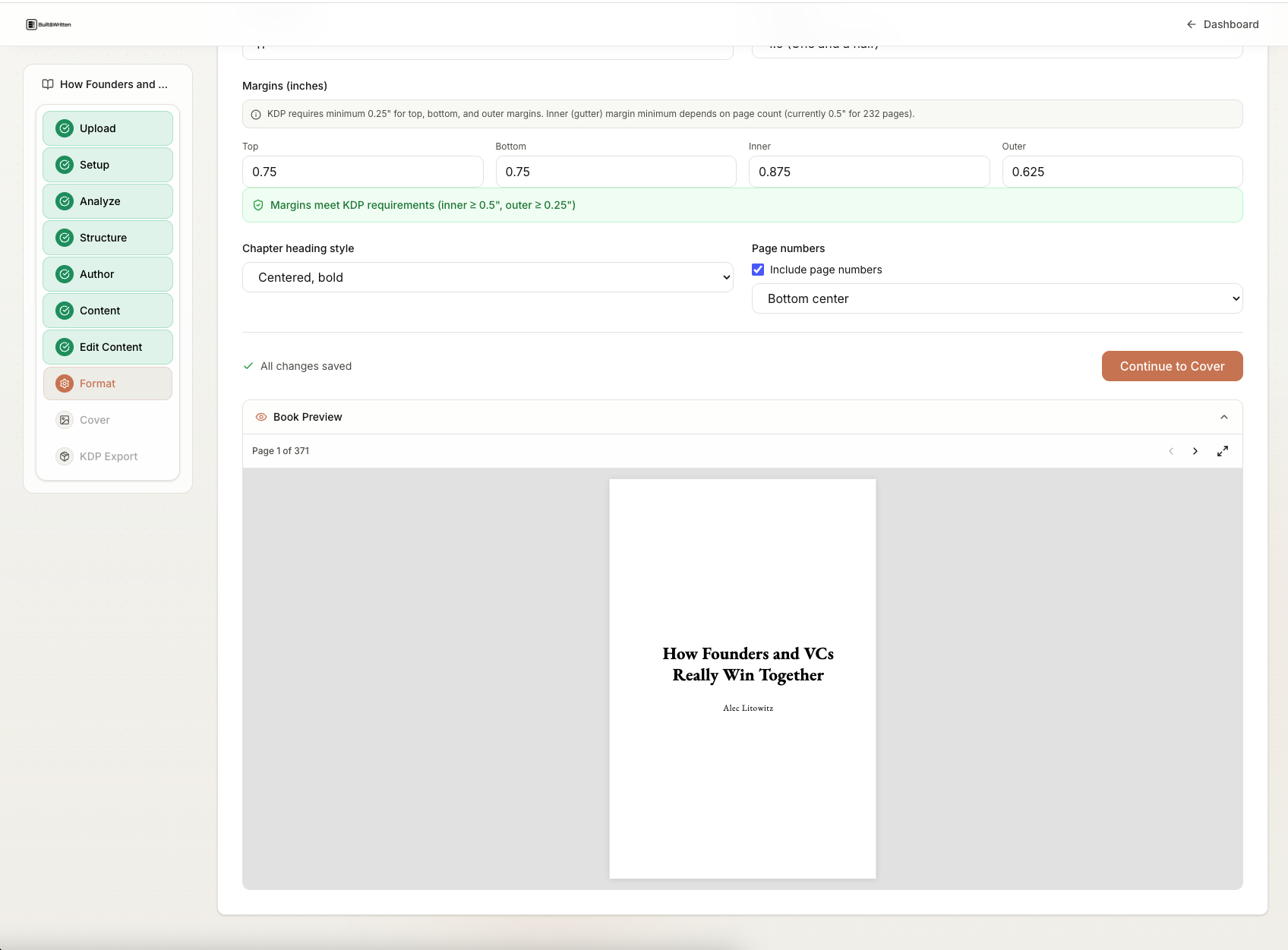
Built&Written handles templates the same way Atticus does: the tool's wizard sets the trim size and formatting specifications. There is no external template to download. The wizard asks you to choose your book type and trim size, then configures the workspace accordingly. This is the fastest path from "manuscript or content archive" to a correctly-configured formatting environment.
For coaches using Built&Written, the formatting setup happens inside the product as part of the writing workflow, not as a separate pre-writing step.
Word and Google Docs templates (community and third-party)
Beyond KDP's official templates, several community resources provide Word and Google Docs templates for book formatting:
Joel Friedlander's The Book Designer offers book interior templates for various trim sizes, some free and some paid. These are professionally designed and include correct typography settings.
The Reedsy book formatting guide covers how to set up a Google Docs manuscript for book formatting, including a margin and page size configuration walkthrough.
Indie Author Toolbox and the Self-Publishing School community maintain template libraries that members share. These are worth checking if you are working in Google Docs and want a starting template.
The limitation of all external Word/Google Docs templates: they require the coach to correctly apply the template to an existing manuscript, which is the technical step that causes most formatting failures. A dedicated formatting tool (Atticus, Vellum, Built&Written) handles this automatically.
From manuscript to KDP upload: a coach's formatting checklist
This checklist assumes you have a complete or near-complete manuscript and are moving it toward KDP submission. Work through it in order.
Pre-formatting checks
- Manuscript is in clean Word, RTF, or Google Docs format. No tracked changes, no comments, no placeholder text.
- Images are saved separately at 300 DPI minimum. Not embedded floating objects in the Word doc.
- Trim size is decided: 6x9 (flagship), 5x8 (lead magnet), or 8.5x11 (workbook).
- Target page count is estimated (word count divided by 250 words per page is a usable rough estimate at 6x9).
- Paper type is decided: white or cream. Cream is traditional for body-text-heavy books. White is better for books with many images or charts.
Front matter checklist
- Title page: book title, subtitle if any, author name.
- Copyright page: year, author name, "All rights reserved," ISBN if obtained, country of publication.
- Dedication: optional but expected in most coaching books.
- Table of contents: generated from headings in your formatting tool, not typed manually.
- Foreword or preface: optional. If you have one from a well-known figure in your coaching community, include it. It is worth more than a testimonial page.
Interior formatting checks
- Body font is a serif font (Garamond, Georgia, Palatino, or a comparable typeface). Sans-serif body is unusual in print books and signals amateur production.
- Line spacing is 1.2 to 1.5. Not double-spaced (that's manuscript format, not book format).
- Inner margin (gutter side) is wider than outer margin. Standard for a 6x9 book: inner margin 1 inch, outer margin 0.75 inches.
- Running headers: chapter title on left page, book title on right page. Or author name on left, chapter title on right. Consistent throughout.
- Chapter openers start on a recto (right-hand, odd-numbered) page. Check that each chapter does not start mid-verso.
- Drop cap or ornamental opener at the start of each chapter. Optional, but expected in a business/coaching book that wants to look traditionally published.
- Scene breaks are marked with a consistent ornament (three asterisks, or a simple graphic ornament), not a blank line.
- Widows and orphans are controlled. No single lines stranded at the top or bottom of a page.
Back matter checklist
- About the author: photo-ready bio, 150 to 250 words.
- Resources or further reading: optional, but useful in a methodology book.
- Lead-gen offer: free chapter download, discovery call, or workshop sign-up. With QR code pointing to a landing page.
- Acknowledgments: optional.
- Index: optional for coaching books; useful for reference-heavy methodology books.
Cover checklist
- Front cover: title, subtitle, author name, one strong image or abstract design element.
- Spine: title and author name readable. Spine width calculated from your formatting tool or KDP's calculator.
- Back cover: back cover copy (200 to 300 words), author photo, short bio, ISBN barcode area, category notation.
- All images at 300 DPI minimum.
- Fonts embedded in cover PDF.
- Bleed set to KDP's requirement (0.125 inches on all sides for the cover).
KDP upload checks
- Interior PDF: PDF/X-1a standard, fonts embedded, correct trim size.
- Cover PDF: separate file, includes bleed.
- Kindle version: ePub or MOBI.
- AI disclosure: checked if AI tools assisted with writing, structuring, or editing.
- Pricing: $9.99 to $14.99 for flagship paperback; $0.99 to $2.99 for lead magnet.
- Author page set up on Amazon Author Central.
- Proof copy ordered before making the book live.
Ready to format your coaching book? Built&Written handles the interior, cover, and KDP export in one workflow. Try it free, no credit card required →
The verdict: which tool wins for which coach archetype
The Coach's KDP Format Test produces a clear decision tree. The tool that wins depends on where you are in the book production process, not on which tool has the highest overall score.
You have a finished manuscript and want best-in-class formatting:
Atticus at $147 one-time. It produces the best interior typography in the self-publishing category. The formatting controls are more granular than Built&Written's defaults. If you are on Mac and willing to pay slightly more, Vellum at $249.99 is the alternative. Both produce output that looks like a book from a traditional publisher. Use Canva or a hired designer for the cover if Atticus's templates feel limiting.
You have a finished manuscript and are on a zero budget:
Reedsy Book Editor. Free, browser-based, produces clean output. The typography will not match Atticus. The cover tools are limited. For a lead magnet or a first booklet that is not meant to be a flagship authority piece, Reedsy is the honest recommendation.
You are still writing, or you have scattered content that needs to become a manuscript:
Built&Written. The formatter-only tools (Atticus, Vellum, Reedsy) cannot help you at the writing stage. Built&Written ingests your existing content, preserves your voice through Voice DNA, assembles a manuscript, and formats it for KDP in the same workflow. See the complete guide to writing a coaching book with AI for the full process.
You are a coach with a design background or working with a professional designer:
Adobe InDesign for the interior and cover. The output is the best available. The time investment is significant. Worth it if the book's production value needs to be genuinely publisher-grade.
You are on Word and committed to staying there:
Start with KDP's official Word templates and read their formatting documentation carefully. Budget significantly more time than any dedicated formatting tool requires, and order at least two proof copies.
The coaching archetype match
| Coach archetype | Where you are | Best tool |
|---|---|---|
| New author, content archive, no manuscript | LinkedIn posts, podcast, scattered notes | Built&Written |
| New author, no content, starting from scratch | Blank page | Built&Written (structure) then consider Atticus for final formatting pass |
| Experienced author, finished manuscript | Word doc ready to format | Atticus (or Vellum on Mac) |
| Author on zero budget | Finished manuscript, no design fee available | Reedsy (editor) + Canva (cover) |
| Serial publisher (2+ books per year) | Ongoing writing and formatting needs | Built&Written (subscription value increases per additional book) |
| Design-literate author | Finished manuscript, cares deeply about typography | Vellum (Mac) or InDesign (any platform, with design skill) |
The recommendation is the same one that has appeared throughout this article: the tool depends entirely on where you are in the process, not on which tool has the most features. A coach who buys Atticus with no manuscript is buying a very expensive formatting tool they cannot use yet. A coach who buys Built&Written with a complete manuscript is paying for writing assistance they don't need.
For the broader AI book writing tools comparison, including tools that are focused on the writing stage rather than the formatting stage, see the companion article.
Key takeaways
- The formatting stage kills more coaching books than the writing stage. Technical KDP compliance requirements are real and non-obvious. A dedicated formatting tool removes most of them.
- The Coach's KDP Format Test scores tools on five axes: trim accuracy, typography polish, cover design, speed-to-export, and pricing model. Built&Written scored 23/25, Atticus 22/25, Vellum 21/25, InDesign 18/25, Reedsy 15/25, Word 10/25.
- Atticus is the best standalone formatting tool for a coach with a finished manuscript. The interior typography is best-in-class in the self-publishing category. The one-time $147 price is right for the one-book scenario.
- Built&Written is the right tool for coaches who are still writing or assembling a manuscript. The formatting is KDP-ready and professional. The advantage over Atticus is the writing layer: content ingest, Voice DNA, and AI assembly from scattered existing content.
- Vellum is the Mac-native alternative to Atticus with comparable output quality. Mac users who prefer a native desktop app should evaluate it. Windows users cannot use it.
- Reedsy is free and adequate for lead magnets and first books. The typography gap versus Atticus or Vellum is real and will show on a printed proof.
- KDP publishing templates from Amazon are free and correct. They are the right starting point if you are writing in Word. Using them before writing (not after) avoids the manuscript-reformatting problem.
- The back matter of a coaching book is lead-gen infrastructure. A QR code to a discovery call, a free chapter download, a resource page: these are what turn a $9.99 paperback into a $30,000 retainer pipeline. Do not skip the back matter.
- Amazon KDP's 2026 AI policy requires disclosure, not prohibition. Check the AI disclosure box if AI assisted with writing, structuring, or editing. Books are not penalized for AI assistance disclosure.
- Order a proof copy before making the book live. Every time.
Frequently asked questions
What is the best book formatting tool for coaches publishing on Amazon KDP in 2026?
For coaches with a finished manuscript, Atticus at $147 one-time is the best standalone formatting tool. It produces best-in-class interior typography and handles KDP export cleanly. For coaches who still need to write or assemble a manuscript from scattered content, Built&Written is the better starting point because it handles writing, content ingest, Voice DNA, formatting, and cover design in a single workflow. The right answer depends on where you are in the process, not which tool has more features.
Can I format my coaching book in Microsoft Word?
Yes. KDP provides free Word-format templates at kdp.amazon.com/help for every standard trim size. The process requires careful setup: download the template for your trim size, write into it (or carefully apply it to an existing manuscript), and export using KDP's recommended PDF settings. The failure rate for first-time Word formatters is high because the process has several technical steps that are not intuitive. Dedicated formatting tools (Atticus, Vellum, Built&Written) handle these steps automatically and are worth the cost for most coaches.
Is Vellum or Atticus better for a coaching book?
They produce comparable interior quality. The practical difference is platform: Vellum is Mac-only at $249.99; Atticus is cross-platform at $147. Mac users who prefer a native app and are willing to pay slightly more often prefer Vellum. Coaches on Windows or those who use multiple devices should use Atticus. Both require a finished manuscript before they can help you.
Where do I find KDP publishing templates?
Amazon KDP provides official free templates at kdp.amazon.com/help for every standard trim size (6x9, 5.5x8.5, 5x8, 8.5x11, and others). Download the template for your target trim size and write your manuscript into it. Dedicated formatting tools like Atticus and Built&Written have the template logic built in, so you do not need to download anything separately.
Will KDP reject my book if it was formatted with AI assistance?
No. KDP's 2026 AI content policy requires disclosure of AI-assisted content but does not prohibit it or penalize books that disclose it. The disclosure is a checkbox during upload. Amazon's concern is about volume AI-generated content flooding the store, not coaches publishing one credibility-building book. Check the disclosure box for any book where AI helped with writing, structuring, or editing, and publish normally.
How long does it take to format a coaching book for KDP?
With a dedicated tool (Atticus, Built&Written, or Vellum) and a clean manuscript, interior formatting takes 2 to 4 hours for a coach with no prior book formatting experience. The cover adds 1 to 3 hours depending on how much design work is required. Add 2 to 3 weeks for proof copy verification (order time plus read time plus any corrections). Total elapsed time from "manuscript complete" to "book live on Amazon" is typically 3 to 4 weeks when using a dedicated formatting tool. The Word path typically takes longer due to the technical configuration required.
What is the cheapest way to format a coaching book for KDP?
Reedsy Book Editor is free and produces usable output. Microsoft Word with KDP's official templates is also free. Both require more manual effort and produce lower typography quality than paid tools. For a lead magnet or a first book where the goal is getting something published, Reedsy is the honest recommendation. For a flagship book that is meant to win $30,000 retainer clients, the $147 Atticus one-time cost is worth it.
What trim size should a coaching book use for KDP?
6x9 inches is the standard for a flagship coaching or business book. It produces a page count that looks substantial and matches reader expectations for a professional non-fiction book. Use 5x8 for a shorter lead magnet. Use 8.5x11 for a workbook or reference guide with charts and exercises. Set your manuscript to the correct trim size before you begin writing, not after. Reflowing a completed manuscript from one trim size to another changes every page break and is a significant rework.
Sources and references
Sources & References
- https://kdp.amazon.com/help/topic/G201834180
- https://kdp.amazon.com/en_US/help/topic/G200672390
- https://www.atticus.io
- https://vellum.pub
- https://reedsy.com
- https://www.builtwritten.com/
- https://coachingfederation.org/research
- https://author.amazon.com
- https://www.adobe.com/products/indesign.html
- https://www.microsoft.com/en-us/microsoft-365/word
- https://www.canva.com
- https://reedsy.com/guide/how-to-format-a-book
About the author

Michael Pavlovskyi
Connect on LinkedInReady to write your book?
Turn your expertise into a professional book with Built&Written.
Put your book on the page