

How to Turn Your LinkedIn Posts Into a Coaching Book (Without Sounding Like a LinkedIn Post)
In 2019, Justin Welsh was a burnt-out SaaS executive with no book, no audience, and 0 LinkedIn followers. Over the next four years, he posted on LinkedIn every single day. By 2023, he had built an audience of 500,000+ followers, launched The LinkedIn Operating System as a digital course, and generated millions in revenue from content he had already written. He never sat down to write a book in the traditional sense. He assembled one from posts he had already shipped.
But every coach reading this in 2026 is still treating their LinkedIn archive as a social media archive.
It isn't. It's a manuscript in a format LinkedIn doesn't tell you exists.
The median coach with two years of consistent posting has between 80,000 and 200,000 words already written. Most of it is about their methodology, their client breakthroughs, their frameworks, their hard-won opinions on why people don't change. That is a book. The work left is not writing. It is compression: taking 400 platform-optimized posts and turning them into something a reader can sit with for four hours and put down changed.
This article covers that compression process. We call it the LinkedIn-to-Book Compression Pass. It is a six-step method for converting your LinkedIn archive into a coaching book that does not read like LinkedIn. It covers the full workflow: exporting your data, sorting the archive, stripping platform voice tells, using AI without losing your voice, meeting Amazon KDP's requirements, and wiring the book to a lead-gen funnel when it goes live.
If you have 100 or more LinkedIn posts and have been thinking "I should write a book," this is the article that tells you how.
Key takeaway: For coaches in 2026 with a LinkedIn content archive, the fastest path to a published coaching book is not starting from scratch. It is running your existing posts through the LinkedIn-to-Book Compression Pass: six steps that strip the platform voice tells, group scattered posts into chapters, and use AI (specifically Built&Written's Voice DNA feature) to bridge them into a coherent manuscript. The result reads like a book, not a LinkedIn feed. ChatGPT and Atticus can assist with parts of this process, but neither handles the full compression workflow end-to-end.
Why most coaches don't realize they're sitting on a book in their LinkedIn archive
Coaches chronically underestimate their content archive. This is not modesty. It is a category error: they think of LinkedIn posts as social media content and books as something different, something requiring a blank-page writing sprint they haven't started yet.
The category error has a cause. LinkedIn posts were written to perform on LinkedIn. Short sentences. One idea per post. Three bullets that scroll well on mobile. A hook line that makes the reader stop mid-feed. These are not book-writing conventions. They are platform-optimization conventions. And because the posts were optimized for a platform, they feel like platform content rather than book content.
But strip the format, and what is left is expertise. A coach who has posted 400 times on LinkedIn has explained their methodology from 400 different angles, shared 400 client scenarios (anonymized), argued for 400 positions about how people change and why they don't. That is not thin content. That is a depth of material that most traditionally-published coaching books never achieve.
Seth Godin has published more than 20 books. A significant portion of them started as blog posts. Linchpin, Tribes, The Practice: each assembles ideas Godin had already published in shorter form and sharpens them into a sustained argument. Ryan Holiday's The Daily Stoic is a structured anthology of short-form ideas. Sahil Bloom's forthcoming book draws from his newsletter. The format is not new. It is mainstream. The LinkedIn-to-book conversion is a version of the same move, adapted for a coach audience rather than a writing audience.
The three reasons coaches don't see their archive as a manuscript
Reason 1: The volume hides behind LinkedIn's interface. LinkedIn's activity feed shows posts in reverse chronological order, one at a time. There is no way to see your archive as a corpus. When you scroll your activity feed and see individual posts, the cumulative word count is invisible. Export the data and put it in a document, and the volume becomes visible in a way the feed never shows you.
Reason 2: The posts feel thin because they were compressed for the platform. A LinkedIn post that made a sophisticated coaching point in 150 words is not shallow. It is compressed. Expanding it back to the full 500-word argument it summarized is not adding fluff. It is restoring what the platform format required you to cut. The book version of most posts is not longer for the sake of length. It is longer because the platform required cuts that the book format does not.
Reason 3: Coaches compare their drafts to finished books. When you look at The Coaching Habit by Michael Bungay Stanier or Real-Time Leadership by Carol Kauffman, you are seeing a finished, edited, professionally produced book. You are not seeing the raw input material. Bungay Stanier had years of workshop content, client observations, and written frameworks before The Coaching Habit took its final shape. The comparison between your LinkedIn archive and his finished book is not a fair comparison. The fair comparison is between his raw input material and yours. On that comparison, a coach with 200+ LinkedIn posts is doing fine.
What does a "book-eligible" LinkedIn archive look like?
A LinkedIn-to-book project needs three things from the archive:
Volume. A minimum of 100 posts, ideally 200+. Below 100 posts, the compression pass will produce a short lead-magnet booklet (15,000 to 25,000 words) rather than a full-length book (40,000 to 60,000 words). Both are publishable on Amazon KDP. Both generate leads. A short lead magnet at $0.99 can do as much client-generation work as a flagship book at $14.99.
Thematic coherence. The posts should cluster into 4 to 8 recurring themes. If you post on executive coaching, leadership development, and how to run a hard conversation, those are three themes. If your posts cover everything from your morning routine to cryptocurrency to your dog's surgery, you do not have a coherent methodology archive. You have a lifestyle feed. The compression pass requires thematic material to compress.
A point of view. The best coaching books have a clear opinion about how change happens and why most people get it wrong. If your LinkedIn posts argue a consistent position (even indirectly), the book will have a spine. If every post hedges equally in all directions, the book will read flat. A coach who argues strongly for a specific coaching philosophy on LinkedIn already has the editorial throughline a book needs.
If your archive clears all three criteria, you have book material. The compression pass is the method for turning it into a book.
The LinkedIn-to-Book Compression Pass: 6 steps from posts to manuscript
The LinkedIn-to-Book Compression Pass is a six-step method for converting a LinkedIn content archive into a coaching book manuscript without losing the author's voice in the process and without producing something that reads like a scrollable feed.
Here are the six steps at a glance before the deep walkthrough:
| Step | Name | What happens |
|---|---|---|
| 1 | Export and Clean | Pull raw archive data, strip platform artifacts |
| 2 | Sort and Theme | Group posts into 4 to 8 chapter buckets |
| 3 | Prune and Rank | Cut redundant posts, rank survivors by depth |
| 4 | Voice Fingerprint | Upload best samples to build Voice DNA before any AI work |
| 5 | Bridge and Expand | Use AI to write transitions, expand compressed points, add chapter framing |
| 6 | Platform Voice Strip | Remove LinkedIn-specific tells from every paragraph |
This is the order. Do not skip steps or run them out of sequence. The most common mistake is jumping to Step 5 (AI writing) before completing Step 4 (Voice Fingerprint). AI without a voice fingerprint produces generic output. AI with a voice fingerprint produces something that reads like you with editorial assistance.
The full deep walkthrough of each step is in the next section.
How does each step of the Compression Pass actually work?
Step 1: Export and Clean
Export the archive. Go to your LinkedIn Settings, click Data Privacy, then Get a copy of your data. Select Posts. LinkedIn will email you a ZIP file within 24 hours. The official LinkedIn data export guide documents the exact path if the menu structure has changed. Inside the ZIP, your posts are in a CSV file with columns for date, content, and engagement metrics.
Clean the raw data. The CSV export includes your full post text, but it also includes formatting artifacts, special characters, and occasionally truncated posts. Open it in a spreadsheet app or copy the content column into a plain text editor. Remove line breaks that LinkedIn uses for spacing. Remove emoji. Remove post-specific calls to action ("What's your take? Drop it in the comments."). What you are left with is the intellectual content of the post stripped of its platform delivery mechanism.
A practical note on volume: 300 LinkedIn posts at an average of 250 words each is 75,000 words of raw material. After the compression pass removes duplicates and low-depth posts, you will likely end up with 40,000 to 60,000 words of usable content. That is a full-length coaching book before AI expansion. If AI expands compressed points back to their full arguments, the manuscript grows by 20 to 40 percent. Budget accordingly when planning page count and pricing.
What to do with comments. Frequently, the most interesting content a coach produces is not in the post itself but in the comment thread below it, where a follow-up question pushed you to explain something more precisely. LinkedIn's export does not include your comments. If you have posts with significant comment threads where you went deep on an idea, go back to those posts, copy your comment content, and keep it alongside the post in your raw document. That comment content is often the sharpest articulation of the post's idea and belongs in the book more than the post headline does.
Step 2: Sort and Theme
Build your chapter buckets first. Before you sort a single post, define 4 to 8 themes that represent the structure of your methodology. Do not let the posts tell you the themes by induction. Set the themes first based on your coaching framework. Then assign posts to themes.
Why this order matters: if you let the posts dictate the themes, you will get themes that reflect what you posted most, not necessarily what is most important. A coach who posted heavily about one topic during a difficult quarter will have that topic over-represented in an induction-based sorting. Setting themes first and then sorting into them gives you the book structure you want, not the one your posting frequency accidentally produced.
A useful target: 4 to 8 themes, each representing one chapter. 6 is a clean number for a coaching book. Too many chapters (10+) produces a listicle book without narrative momentum. Too few (3) produces bloated chapters that a reader loses track of.
Assign each post to a bucket. Work through your cleaned archive and tag each post with one theme. Do not overthink this. If a post could go in two themes, pick the one where the post contributes more unique content. If a post does not fit any theme, it goes to a discard pile. Not every post belongs in the book. Some posts were experiments, timely reactions, or personal updates. They belong to the social feed. They do not belong in the manuscript.
Count what you have per chapter. After sorting, you should have roughly even distribution across chapters. If one chapter has 80 posts and another has 8, either the underweight chapter needs to be merged or the overweight chapter needs to be split. A coherent coaching book has chapters that feel roughly equivalent in scope, not chapters that feel like one topic you are obsessed with surrounded by topics you mentioned a few times.
Step 3: Prune and Rank
Inside each chapter bucket, you now have a collection of posts on the same theme. Most of them will be making the same point from different angles, with different examples, with slightly different framings.
Cut the redundant ones. A chapter does not need 15 posts all saying "leaders need to ask more questions than they answer." It needs the one or two posts that say that idea best and the posts that say something adjacent and complementary. Read through each chapter's posts and identify the one that states the core idea most clearly. That post stays. The ones repeating the same point with a different example get evaluated on whether the example is valuable enough to keep separately.
Rank survivors by depth. Within each chapter, order the remaining posts from foundational (the idea explained plainly) to advanced (the idea in its most nuanced or edge-case form). This order roughly maps to the chapter's structure. The book does not have to follow exactly this order, but it is a useful starting map.
Keep the specifics. LinkedIn posts that include specific client scenarios (anonymized), specific data points, or specific examples are more valuable for the book than posts that make abstract arguments. Specificity is what separates a coaching book that a reader recommends from one they acknowledge and forget. When pruning, prefer the specific over the general.
Step 4: Voice Fingerprint
This step must happen before any AI tool touches your content.
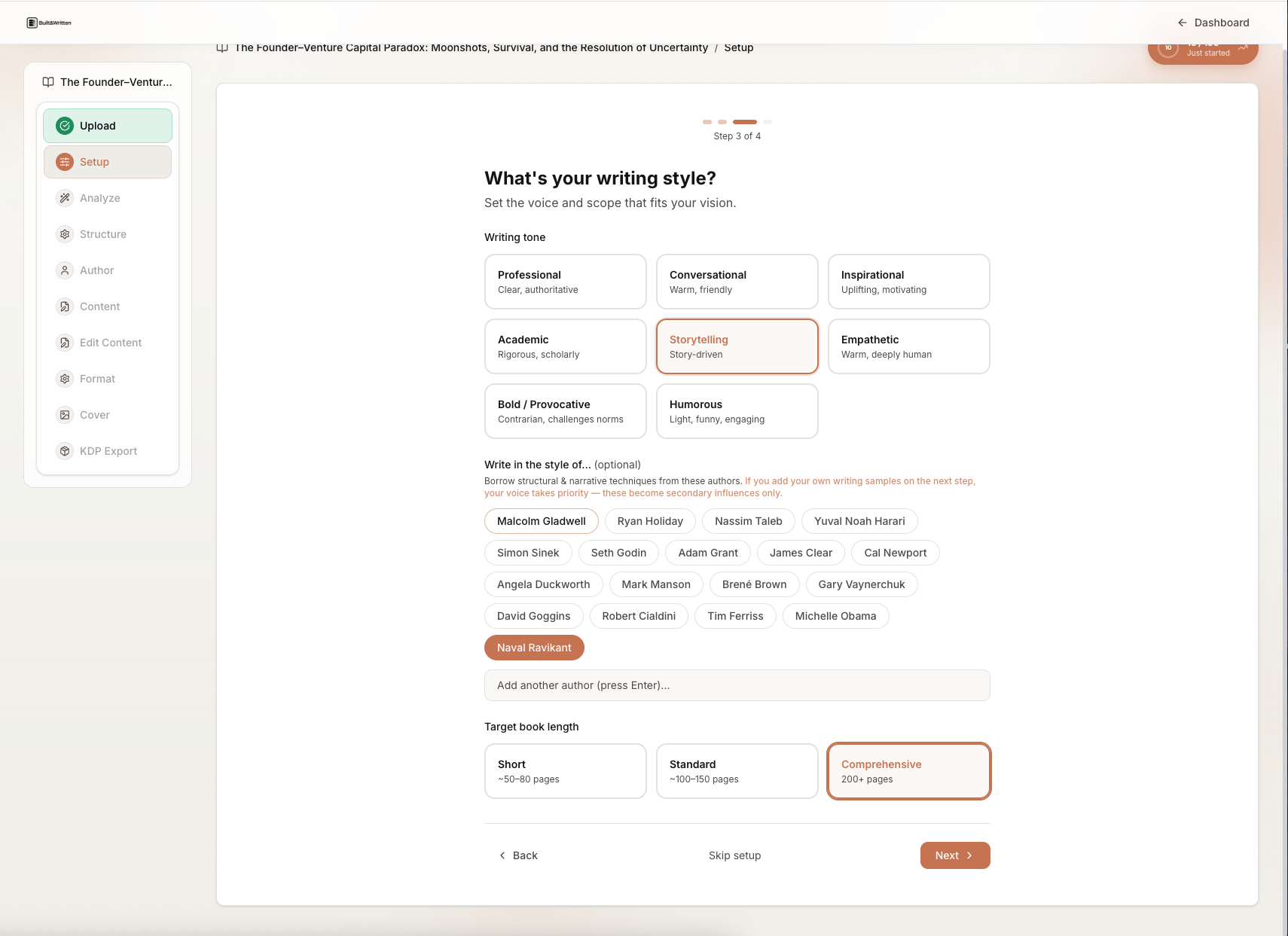
Select your best 5,000 words. From your cleaned and pruned archive, identify the 15 to 20 posts that sound most like you on a good day. Not your most-liked posts. Not your most-shared posts. Your most authentically-voiced posts: the ones where you can hear yourself talking. These posts become your Voice DNA sample set.
Why not your most-liked posts? Because engagement-optimized LinkedIn writing has its own voice pattern that is different from your natural writing pattern. Viral LinkedIn posts tend toward short sentences, strong hooks, and list-heavy structure. These are platform-optimization conventions. If you feed these posts to an AI tool and say "write like this," you will get a book that sounds like viral LinkedIn content, which is the exact problem you are trying to avoid.
Upload the samples before generating anything. Built&Written's Voice DNA feature is designed for this step. You upload your selected samples and the tool builds a fingerprint: sentence length distribution, vocabulary preferences, rhetorical patterns, whether you use contractions or avoid them, how you signal transitions, whether you favor short punchy paragraphs or longer developed arguments. That fingerprint is applied to all AI-assisted content generation from that point forward.
If you are using ChatGPT or Claude instead of a dedicated book tool, you can replicate this step manually: paste your voice sample posts into the system prompt and reference them explicitly in every generation request. It is more friction and less consistent than a built-in Voice DNA feature, but it is better than generating without any voice anchor at all.
The voice fingerprint step is where the book is won or lost. A coach who skips this step and generates content with a cold AI model will spend 20 hours editing the resulting manuscript to sound like a person. A coach who does this step properly will spend 4 hours editing a manuscript that already sounds like them.
Step 5: Bridge and Expand
This is the AI step. With your voice fingerprint set and your posts organized into chapters, you now use AI to:
- Write the connective tissue between posts within each chapter
- Expand compressed points back to their full arguments
- Write chapter-opening frames and chapter-closing transitions
- Write the book's introduction and conclusion (which should be written last, when you know what the book actually says)
What AI does well in this step: Transitions between adjacent ideas. Structural framing ("In this chapter, we will look at X from three angles"). Expansion of a 150-word LinkedIn argument back to the 500-word argument it summarized. Consistency checking (does the chapter's opening promise match what the chapter delivers).
What AI does badly in this step: Choosing which ideas are most important. Deciding what the book's central argument is. Generating the specific client scenarios and case examples that make a coaching book credible. Adding the hard-won specificity that comes from years of coaching practice. These are your contributions. AI is the bridge between them, not the builder of them.
One practical constraint: Generate one chapter at a time. Do not feed the AI your entire manuscript and ask it to bridge everything at once. The resulting content will drift from your voice by the time it reaches chapter 4. One chapter at a time, check the voice after each chapter, and correct early if something starts sounding generic.
Step 6: Platform Voice Strip
This is the edit pass that separates a book from a LinkedIn archive formatted as a Word document.
LinkedIn writing has specific conventions that work on the platform and fail in a book.
Strip these LinkedIn tells:
The hook line at the start of every unit. LinkedIn posts open with a hook because readers are scrolling a feed and you have 0.8 seconds to stop them. Books do not need hooks on every paragraph. A book reader has already committed. Keeping hook-style opening lines in every section makes the book read like an anxious sales pitch.
One-sentence paragraphs everywhere. LinkedIn uses one-sentence paragraphs because they are readable on mobile and they pace a scrolling reader. In a book, a page of one-sentence paragraphs reads as shallow and underdeveloped. Allow yourself three to five sentences per paragraph when the idea warrants it.
"Let me know in the comments what you think." And all variants. Cut every direct address to a social media audience that assumes interactive feedback. Book readers do not comment.
The three-bullet structure. LinkedIn posts default to exactly three bullets because it is the format readers expect and it performs well. Books do not have this constraint. If an argument needs two points, make two. If it needs seven, make seven. Release the three-bullet reflex.
Artificial specificity for engagement. LinkedIn posts sometimes use specific numbers as a credibility hook ("I've coached 847 executives"). Unless you have a reliable source for that specific number, cut the artificial precision. Book readers are more skeptical of exact-sounding numbers than LinkedIn readers, because books are a higher-trust format.
The CTA closer. LinkedIn posts close with a call to action: follow, share, reply, click. Book chapters close with a thought, an implication, or a transition to what comes next. Cut all social media CTAs from chapter endings.
After the platform voice strip, read the chapter aloud. If it sounds like you giving a talk, it is working. If it sounds like you performing for a LinkedIn algorithm, it needs another pass.
What's the workflow for using AI without losing your voice in the process?
The fear coaches express about AI book writing is specific: "I'll put my content in, get generic content out, and end up with a book that sounds like everyone else's AI book."
This fear is justified for AI tools used without a voice fingerprint. It is not justified for tools that have a proper Voice DNA setup, used correctly. Here is the exact workflow.
What Voice DNA is and how it works
Voice DNA is Built&Written's named feature for voice preservation. The tool ingests your writing samples, builds a structured profile of your writing patterns, and applies that profile when generating new content. The profile includes:
- Average sentence length and distribution (do you write long compound sentences or short staccato ones?)
- Vocabulary patterns (do you use technical coaching terms or colloquial language?)
- Paragraph rhythm (dense paragraphs or spaced-out short ones?)
- Rhetorical moves (do you lead with the conclusion or build to it?)
- Transitional phrasing (do you use "but," "however," "and yet," or something else when pivoting?)
The fingerprint is not perfect. No AI system is. But it is meaningfully better than a cold generation from a general-purpose model. The output requires editing, but it requires less of it and the edits are smaller adjustments rather than full rewrites.
Atticus does not have a Voice DNA equivalent because Atticus does not generate content. If you format a Built&Written-generated manuscript in Atticus, you have both. The workflow is described in more detail in our Atticus vs Built&Written comparison for coaches.
Using ChatGPT or Claude for the bridge step without losing voice
If you prefer ChatGPT or Claude over a dedicated book tool, voice preservation requires a deliberate manual workflow.
System prompt approach. Before each generation session, paste 1,000 to 2,000 words of your most characteristic writing into the system prompt with the instruction: "Write in the style of these samples. Match the sentence length, vocabulary, and tone. Do not write in a general AI tone. Do not start sentences with 'Furthermore' or 'Moreover.' Do not use the word 'delve.' Do not hedge with 'It's important to note.'" Then generate one section at a time.
The limitation of this approach: the system prompt voice samples drift as the context window fills with generated content. By the time you are generating chapter 4, the model is balancing your voice samples against three chapters of AI-generated content that may have drifted. The voice consistency degrades over a long manuscript in a way that a dedicated tool with a persistent fingerprint does not.
The "read it to someone who knows you" test. After each chapter, read three random paragraphs to someone who knows how you talk. Ask them: does this sound like me? Their intuition is more accurate than your own because you are too close to the material. If they hesitate, the voice has drifted. Go back before moving forward.
Tools for the transcription step. If your existing content includes recorded material (podcast episodes, coaching calls with permission, webinars), transcription tools like Otter.ai and Descript produce text that, for voice fingerprinting purposes, is some of your most authentic writing because it is literally your natural speech patterns rather than writing-optimized output. Descript in particular lets you edit the transcript as text and export clean copy. Including speech transcripts in your Voice DNA sample set often improves voice consistency in ways that edited written samples cannot.
The "doesn't sound like AI" edit pass
After the AI-assisted bridge and expansion step, every manuscript needs a final pass to remove what we call AI tells: patterns that signal to a reader (consciously or unconsciously) that the text was generated rather than written.
Mandatory cuts:
- Sentences starting with "Furthermore," "Moreover," "Additionally," or "In addition,"
- The word "delve" in any context
- Phrases like "It's important to note," "It's worth mentioning," "It's worth considering"
- Closing paragraphs that begin with "In summary," or "In conclusion,"
- The phrase "in today's fast-paced world" or any variant
- Lists that always have exactly three items (vary to two or four)
- Abstract openers like "The landscape of coaching has evolved significantly"
Replace these with your actual speech patterns. How do you transition when talking? Probably with "but" or "here's the thing" or "the problem is" rather than "Furthermore." Use the real one.
A 50,000-word coaching book needs approximately 6 to 8 hours of this edit pass. Budget it. Do not skip it. This pass is the difference between a book that sounds like you and a book that sounds like a coached version of ChatGPT.
For a deeper look at the complete AI workflow from content archive to published book, see the coach's complete guide to AI book writing and publishing.
How do KDP rules and reader expectations shape what your archive becomes?
Before you get to the point of uploading a manuscript, two sets of constraints shape every decision in the Compression Pass: what Amazon KDP will accept and what a coaching book reader expects.
What KDP's 2026 AI policy means for a coach turning LinkedIn posts into a book
Amazon KDP's current AI policy requires disclosure of AI-generated content but does not prohibit it. The disclosure is a checkbox during the KDP upload process. Books are not removed from sale based on checking this box.
Amazon distinguishes between AI-generated and AI-assisted:
- AI-generated: AI wrote substantial portions of the content with minimal human input or revision.
- AI-assisted: AI helped organize, bridge, or edit content that the human produced.
A coaching book built from the coach's own LinkedIn posts (content the coach wrote) and assembled with AI help into a structured manuscript is AI-assisted. The coach's expertise is the content; AI is the assembly mechanism. Check the disclosure box. There is no penalty for doing so.
The KDP concern is about volume spam: single publishers flooding the store with AI-generated books at scale, often using pen names and automated pipelines. Tools like Aikdpauthor are built for that workflow. That is not what a coach publishing one credibility-building book is doing. KDP's policy is not aimed at you.
One practical caution: KDP's policy has evolved and will continue to evolve. Bookmark the official KDP AI content policy page and check it before upload.
KDP technical requirements and what they mean for manuscript planning
KDP's formatting guidelines specify:
Trim sizes. Common choices for coaching books:
- 5 x 8 inches: standard for lead-magnet booklets and short business books
- 6 x 9 inches: the most common size for flagship coaching books and the format The Coaching Habit uses
- 8.5 x 11 inches: workbooks with exercises and fill-in sections
Margins. Minimum 0.25 inches on all sides. Minimum 0.375 inches for the gutter (spine-side margin) to avoid text disappearing into the binding on paperback.
Spine math. KDP calculates spine width from page count. The formula varies by paper type. You cannot design a cover until you know your final page count within 10 to 20 pages. This is why cover design is the last step, not the first.
Image resolution. 300 DPI minimum for print images. If your LinkedIn posts included infographics or diagrams you want in the book, re-export them at 300 DPI before upload. LinkedIn's compressed JPEGs will not pass KDP's print quality check.
Both Built&Written and Atticus handle these formatting requirements in their export process. Neither tool produces output that KDP rejects on technical grounds when used correctly. The more common rejection reason is metadata-side (title similarity to existing books, copyright flags) rather than formatting.
What coaching book readers expect in 2026
The coaching book market on Amazon is competitive and readers have developed an eye for AI-generated content. A book that reads like ChatGPT does not build the credibility a coach needs.
The baseline reader expectation for a coaching book is that the author has a real point of view, earned through real practice, expressed in a voice that is distinctly theirs. Michael Bungay Stanier's The Coaching Habit is useful because it is also unmistakably his. Marcia Reynolds's Coach the Person, Not the Problem reads like Marcia Reynolds: precise, direct, and frustrated in exactly the way an executive coach with decades of field experience gets frustrated with sloppy thinking. Henry Kimsey-House's co-active coaching framework in Co-Active Coaching reads like a manifesto from someone who believes what they are saying. These books work as authority-builders because readers sense a person with a real perspective.
A LinkedIn archive has this quality if it was written with genuine conviction over time. That quality must survive the compression pass. If it does not, the resulting book fails at the one job a coaching book needs to do: make a stranger trust you enough to pay $10,000 for your coaching.
The International Coaching Federation's industry research consistently shows that the coaches who get the highest-quality inbound leads from books are the ones whose books are perceived as authentic and specific, not generic and comprehensive. A thin book with a strong point of view outperforms a thick book that covers everything neutrally. This shapes what you should cut in the prune-and-rank step: when in doubt, cut the neutral post and keep the opinionated one.
How reader expectations shape which posts to keep and which to cut
Coaching book readers are paying for expertise and they are paying for specificity. Posts that generalize ("leaders need to listen more") without specifics are low-value for the book, regardless of how they performed on LinkedIn. Posts that share a specific framework, a specific scenario, a specific hard-won observation ("I've watched 300 executives try to give feedback without causing defensiveness; the ones who succeed do one specific thing differently") are high-value.
LinkedIn rewards both generalist and specialist content because the feed is broad. A book rewards only specialist content because the reader chose this book because they wanted your specific expertise, not a general survey.
This distinction sharpens the prune-and-rank step. When choosing between two posts on the same theme, always choose the one with more specificity, more concrete detail, more of your actual practice in it.
From LinkedIn export to live book on Amazon: a coach's checklist
Use this checklist from start to KDP live. Print it. Work through it in order. Do not jump ahead.
Stage 1: Archive assessment (before the Compression Pass)
- Export LinkedIn data via Settings. Full instructions here. Allow up to 24 hours.
- Open the Posts CSV. Copy all post content into one plain text document.
- Count total posts and total approximate word count.
- Assess thematic coherence: can you identify 4 to 8 core themes that run through the archive?
- Assess point of view: do the posts argue a consistent methodology, or do they cover random topics?
- Decide book type: lead-magnet booklet (20,000 to 30,000 words, $0.99 to $2.99, 100+ posts needed), or flagship coaching book (40,000 to 60,000 words, $9.99 to $14.99, 200+ posts needed).
If the archive does not have thematic coherence or a clear point of view, the Compression Pass will not produce a coherent book. The solution is to keep posting on a focused methodology for 6 to 12 more months before attempting the book project. The book will be better for it.
Stage 2: The Compression Pass
- Step 1: Clean the export. Remove emoji, platform CTAs, formatting artifacts.
- Step 2: Define 4 to 8 chapter themes. Assign every post to one theme. Discard posts that do not fit.
- Step 3: Prune within each chapter. Keep the posts that are most specific, most opinionated, most uniquely yours. Discard the generic and the redundant.
- Step 4: Upload Voice DNA samples to Built&Written (or set up voice samples in ChatGPT/Claude system prompt). Do not proceed to Step 5 without this.
- Step 5: Generate bridges and expansions one chapter at a time. Review each chapter before generating the next.
- Step 6: Platform voice strip on every chapter. Read aloud. Cut LinkedIn tells. Cut AI tells.
Stage 3: Manuscript completion
- Write or generate the book introduction (last, after the chapters exist).
- Write or generate the book conclusion (the answer to "so what does all of this mean?").
- Add chapter-opening stories or scenarios where the chapter structure needs grounding.
- Beta read: send full manuscript to 2 to 3 people who know your coaching work. Ask: "Does this sound like me? Is there anything you'd argue with? Is there anything I should have said that I didn't?"
- Address beta reader feedback. This is not optional. Beta readers catch structural gaps that you cannot see when you are inside the manuscript.
Stage 4: Formatting and cover
- Confirm trim size: 5 x 8 (lead magnet), 6 x 9 (flagship), 8.5 x 11 (workbook).
- Front matter: title page, copyright page, dedication, table of contents. The copyright page should include the ISBN (KDP will assign a free one) and the AI assistance disclosure if applicable.
- Back matter: About the Author page, a lead-gen offer (free chapter, discovery call, course), and a QR code pointing to your lead capture page.
- Generate book cover in Built&Written or Atticus. Confirm spine width against final page count.
- Order one physical proof copy from KDP. Read it. Do not skip this step.
Stage 5: KDP upload and launch
- Set up your KDP Author Page with a photo, bio, and links to your coaching website.
- Upload print manuscript PDF and print cover PDF separately.
- Upload Kindle version (ePub or use KDP's conversion tool).
- Check the AI disclosure box if AI-assisted content was used in writing or editing.
- Set pricing based on book type (lead magnet: $0.99 to $2.99; flagship: $9.99 to $14.99 paperback).
- Wire the lead-gen funnel: QR code in back matter points to a discovery call page or free-chapter email capture.
- Plan a launch sequence: LinkedIn announcement post, email to existing list, 3 to 5 podcast appearances in the month of launch.
Stage 6: Post-launch (the part most coaches skip)
- Set up a free-chapter landing page on your website. Drive traffic from LinkedIn posts about the book.
- Collect Amazon reviews. Email your existing clients and ask for an honest review. 10 to 15 reviews in the first 30 days signals Amazon's algorithm that the book is legitimate.
- Use the book in your LinkedIn content. Reference it, quote from it, share excerpts. The book is not a one-time announcement. It is a recurring credibility signal.
- Plan a second use of the book content. Can a chapter become a keynote talk? Can the book become a workshop curriculum? Can the framework become a course? The Compression Pass produces content that has legs in multiple formats.
For a detailed look at the lead-gen strategy behind a coaching book, see how a self-published coaching book generates leads.
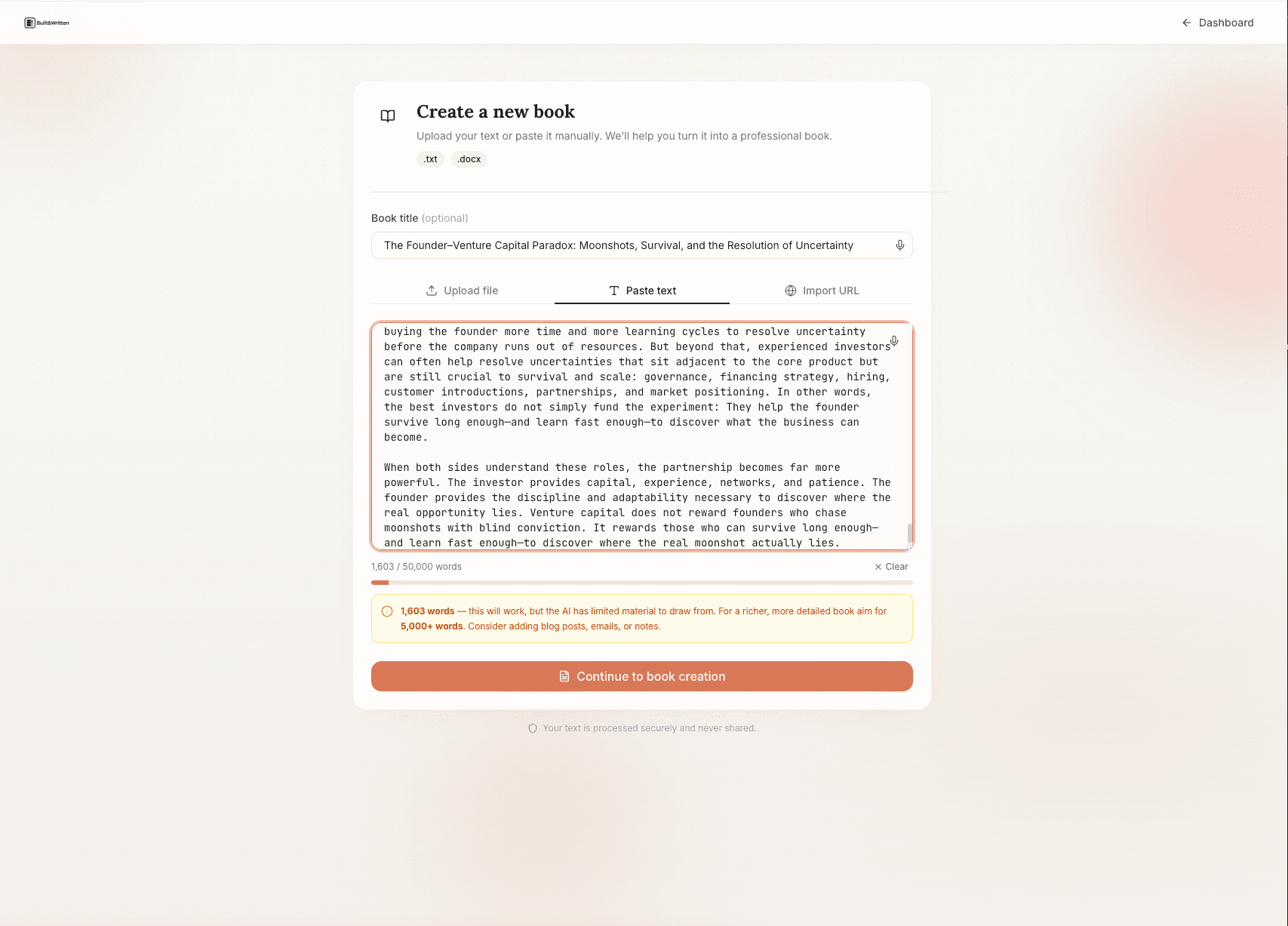
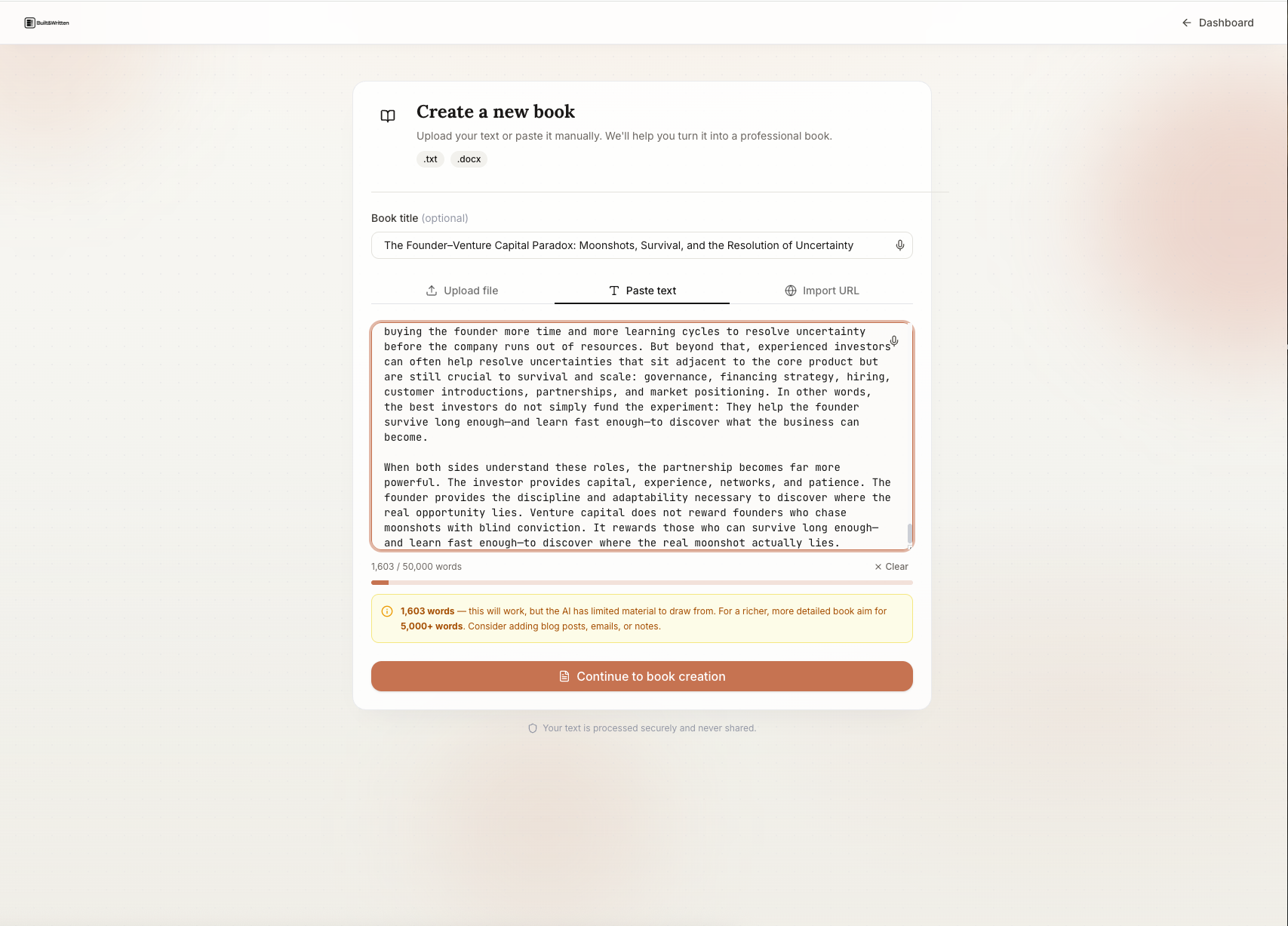
Ready to start? Built&Written's free trial gets you through the content ingest and chapter structure steps in under 30 minutes. Start here →
The verdict: who should do this and who shouldn't
Not every coach with a LinkedIn archive should attempt the LinkedIn-to-book Compression Pass right now. Here is the honest breakdown.
Who should do this
Coaches with 200+ LinkedIn posts on a focused methodology. If you have two or more years of consistent posting on a topic you coach on, you have enough raw material for a full-length coaching book. The Compression Pass is worth doing now.
Coaches who have been told "you should write a book" more than three times. This is an informal signal that your ideas have book-level value. If clients, peers, and audience members keep suggesting a book, trust that signal.
Coaches who want to move from cold outreach to inbound lead generation. A published coaching book on Amazon, backed by the right lead-gen wiring, generates discovery call requests from people who have already read your methodology and self-selected. That is a qualitatively different lead than a LinkedIn cold message recipient. If your current client acquisition depends heavily on outreach, a book is the lever worth pulling.
Coaches who are already creating content at volume. A coach who posts 3 to 5 times per week and has been doing so for 2+ years is in the habit of generating ideas at scale. That habit transfers directly to the Compression Pass workflow. The book is not a separate creative project for this coach. It is an assembly of what they are already producing.
Who should wait
Coaches with fewer than 100 posts or with non-thematic archives. If your LinkedIn history is thin or unfocused, the Compression Pass produces a thin, unfocused book. A lead-magnet booklet might still be viable (under 30,000 words, under 100 posts), but a flagship coaching book requires more raw material and more thematic coherence than a sparse archive provides.
Coaches whose methodology is still forming. A book is a public commitment to a point of view. If your coaching philosophy is still evolving and you are not yet confident in the framework you would argue for, writing the book now locks in a position you may change in 18 months. Wait until the framework is stable enough that you would defend it publicly.
Coaches who need revenue immediately. A book takes 6 to 12 weeks to produce and launch. Book royalties on a $12.99 paperback sold on Amazon are typically $3 to $5 per copy after Amazon's cut. At any realistic sales volume for an initial launch, royalties are not a meaningful revenue source. If you need income this month, pursue it through direct client acquisition first. The book is a 12-to-18-month payoff play, not a short-term revenue move.
Coaches who have not been creating content consistently. The Compression Pass requires a content archive to compress. If you have not been creating LinkedIn content regularly, the answer is not to attempt the book project immediately. The answer is to start posting consistently now and return to this article in 12 months.
The honest summary: Sahil Bloom turned his newsletter into a book deal because his newsletter had depth and volume and a consistent worldview. Cal Fussman built an interview book from decades of long-form conversation transcripts. The framework is proven. The prerequisite is that the content archive is already there. If it is, the Compression Pass is one of the highest-leverage things a coach can do with their existing work.
Key takeaways
Most coaches with 2+ years of LinkedIn content are sitting on a manuscript they do not recognize as one. The LinkedIn-to-Book Compression Pass is the method for making that manuscript visible.
The Compression Pass has six steps in sequence: Export and Clean, Sort and Theme, Prune and Rank, Voice Fingerprint, Bridge and Expand, Platform Voice Strip. Do not skip steps or reorder them.
The Voice Fingerprint step (Step 4) is the highest-leverage step in the process. AI generation without a voice fingerprint produces generic output. AI generation with a proper Voice DNA setup produces a manuscript that sounds like you with editorial assistance.
Built&Written is the dedicated book tool with Voice DNA, content ingest via paste or upload, and KDP-ready export in one workflow. ChatGPT and Claude can replicate parts of this with manual prompting, but voice consistency degrades over long manuscripts without a persistent fingerprint.
Amazon KDP does not reject AI-assisted coaching books. Disclosure is required. Prohibition is not.
The platform voice strip (Step 6) is what separates a book from a LinkedIn archive formatted as a document. Cut hook lines on every paragraph, one-sentence paragraphs everywhere, social CTAs, and the three-bullet reflex.
A coaching book's ROI is not royalties. It is the quality of inbound leads it generates. A coach who turns a $3,000 cold-outreach client into a $30,000 inbound retainer via a $12.99 book has found the highest-leverage marketing investment they will ever make.
Do the launch right: KDP Author Page wired to your site, QR code in back matter, free-chapter email capture, and a planned LinkedIn announcement with 3 to 5 podcast appearances in launch month.
The coaches who should not do this yet: those with fewer than 100 posts, those whose methodology is still forming, those who need immediate revenue, and those who have not been creating content consistently.
The coach's complete guide to AI book writing and publishing covers the full scope of the book production process. The podcast-to-book version of this workflow applies the same compression logic to recorded content. The AI book tools comparison for coaches covers the full tool landscape if you want to compare before committing to a workflow.
Frequently asked questions
Can I legally use my LinkedIn posts in a book? Does LinkedIn own my content?
Yes. You own your content. LinkedIn's Terms of Service grant LinkedIn a license to display and distribute your content on the platform, but they do not transfer ownership. You retain the intellectual property rights to what you write. You can republish your LinkedIn posts in a book without LinkedIn's permission and without any licensing fee. This is well-established content law and consistent with how other platforms (Medium, Substack, Twitter/X) handle creator content.
Can I use the comments on my posts as book content?
Not without care. Comments from other users are their intellectual property, not yours. You cannot reproduce another person's comment in your book without their permission. However, your own replies to comments are your content and you can use them. Comments also function as research: they tell you what questions your audience has about a topic, which can inform how you frame the chapter expansion.
How many posts do I need before the Compression Pass is worth doing?
100 posts is the minimum for a usable lead-magnet booklet (15,000 to 25,000 words). 200+ posts gives you enough material for a full-length coaching book (40,000 to 60,000 words). Below 100 posts, the archive does not have enough volume for coherent chapter-length content. The right answer for coaches with fewer posts is to keep posting on a focused methodology and return to this process in 6 to 12 months.
Will AI detection tools flag a book made with this process?
Possibly. AI detection tools vary in accuracy and are not reliable for content that was substantially human-produced and AI-assisted (rather than purely AI-generated). A book built from a coach's own LinkedIn posts, run through Voice DNA to preserve voice, and edited thoroughly in the platform voice strip, should score as human-adjacent on most detection tools. The harder question is reader detection: if the book reads authentically and sounds like the coach, human readers will not flag it regardless of what a tool says. Focus on voice authenticity over detection-tool optimization.
Does Amazon KDP penalize books that are AI-assisted?
No. KDP's current AI policy (as of early 2026) requires disclosure but does not penalize AI-assisted books. The disclosure box is checked during upload. Books continue to sell normally after disclosure. Amazon's stated concern is volume spam from automated publishing pipelines, not coaches publishing one credibility-building book using AI assistance. Check the box, disclose accurately, publish.
What's the difference between using Built&Written, ChatGPT, or Atticus for this process?
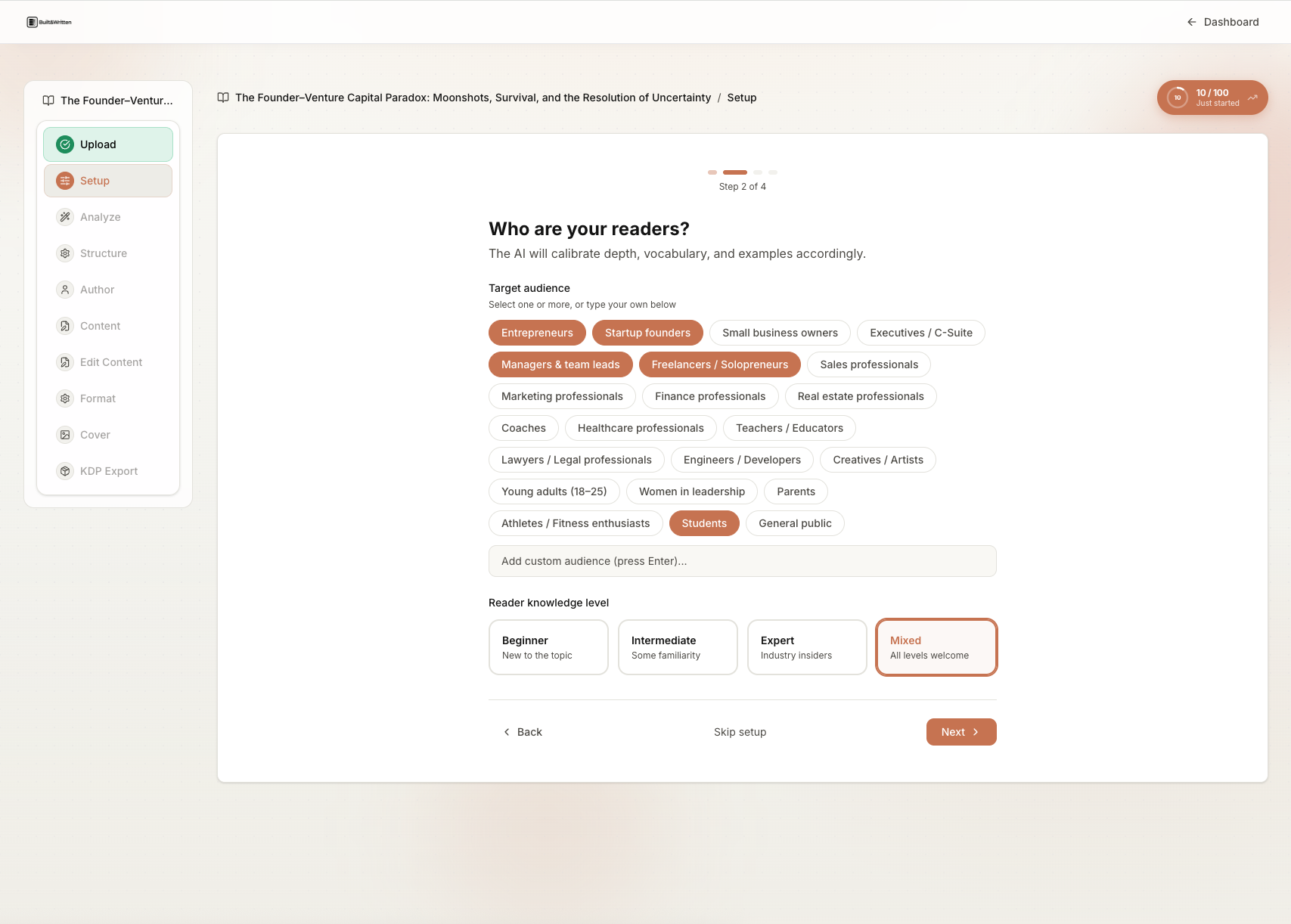
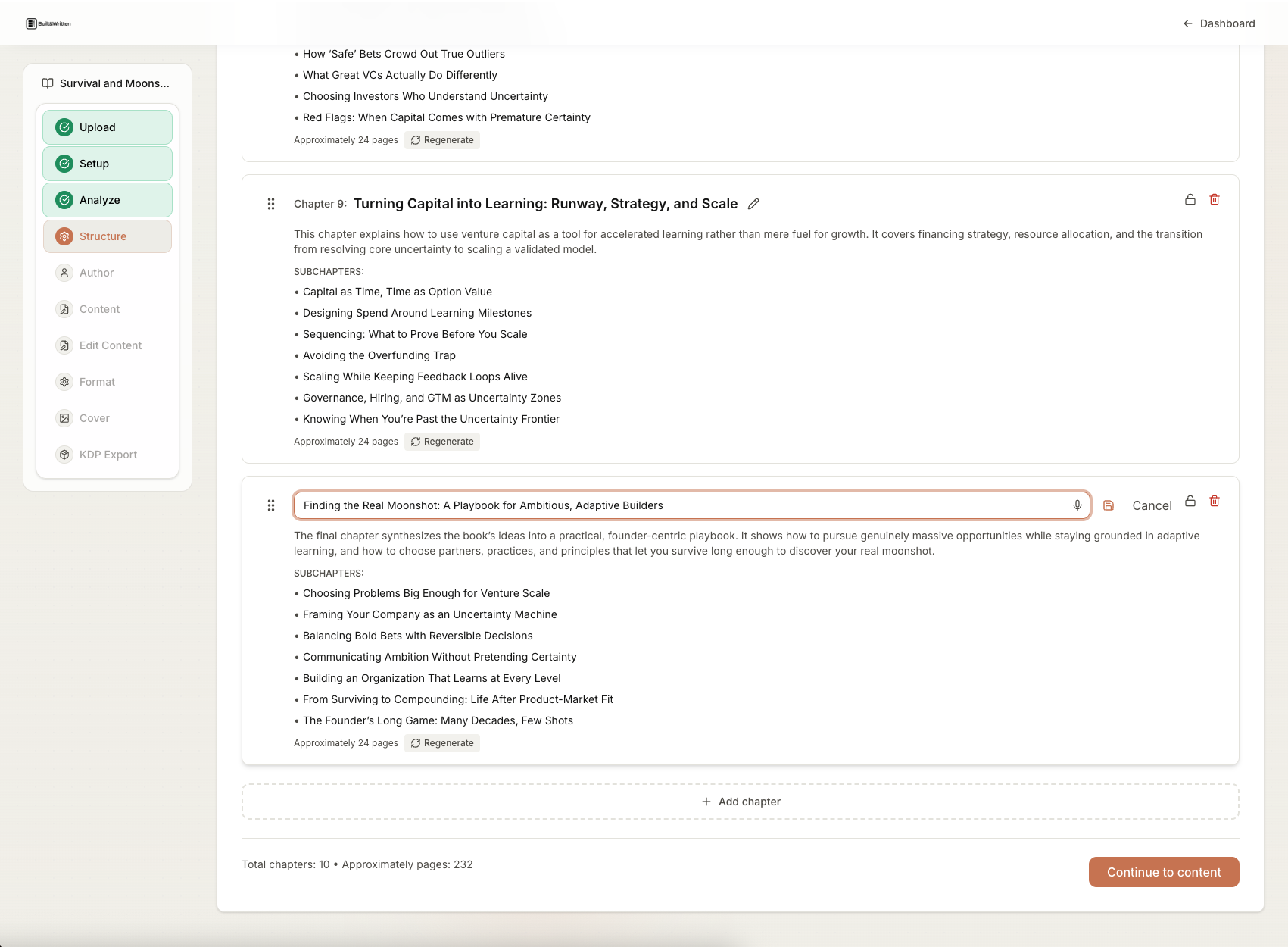
Built&Written handles the full Compression Pass in one workflow: paste your LinkedIn export, set up Voice DNA from your samples, the platform proposes a chapter structure, drafts each chapter, and produces a KDP-ready PDF and cover. It is the only tool designed specifically for the LinkedIn-to-book use case.
ChatGPT and Claude can handle the bridge and expansion step if you set up voice samples manually in the system prompt, but voice consistency degrades over a long manuscript without a persistent fingerprint. You would still need a separate formatter for KDP output.
Atticus is a formatting tool. It does not generate content, does not ingest LinkedIn posts, and does not help with the Compression Pass. Atticus is the right tool for a coach who has a completed manuscript and wants best-in-class interior formatting before KDP upload. For a detailed comparison, see Atticus vs Built&Written for coaches.
Sudowrite is built for fiction and will overwrite a coaching voice in favor of literary prose. It is the wrong tool for this process.
How long does the full Compression Pass take from export to manuscript?
For a coach with 200 posts and a clear methodology, the timeline is typically:
- Stage 1 (archive assessment): 1 to 2 hours
- Stage 2 (Compression Pass, Steps 1 to 6): 8 to 15 hours over 1 to 2 weeks
- Stage 3 (manuscript completion and beta read): 2 to 4 weeks
- Stage 4 (formatting and cover): 1 week plus 2 weeks for physical proof
- Stage 5 (KDP upload and launch prep): 1 to 2 days
Total: 6 to 10 weeks from start to live on Amazon. Coaches who skip the beta read or the proof copy step occasionally move faster, but the quality shows in the output.
Sources and references
- LinkedIn data export help — LinkedIn Help Center
- Amazon KDP Content Guidelines — Amazon KDP
- Amazon KDP AI Content Policy — Amazon KDP
- International Coaching Federation industry research — ICF
- Built&Written — AI book platform for coaches and founders
- Atticus — Book formatting software
- Sudowrite — AI writing tool for fiction
- Otter.ai — AI transcription
- Descript — Audio and video transcription and editing
- Amazon KDP Author Central — Author page setup
- ChatGPT — OpenAI general-purpose language model
- Claude — Anthropic general-purpose language model
Sources & References
- https://www.linkedin.com/help/linkedin/answer/a1339364
- https://kdp.amazon.com/help/topic/G201834180
- https://kdp.amazon.com/en_US/help/topic/G200672390
- https://coachingfederation.org/research
- https://www.builtwritten.com/
- https://www.atticus.io
- https://www.sudowrite.com
- https://otter.ai
- https://www.descript.com
- https://author.amazon.com
- https://www.builtwritten.com/editor
About the author

Michael Pavlovskyi
Connect on LinkedInMore in Content Repurposing
Ready to write your book?
Turn your expertise into a professional book with Built&Written.
Put your book on the page